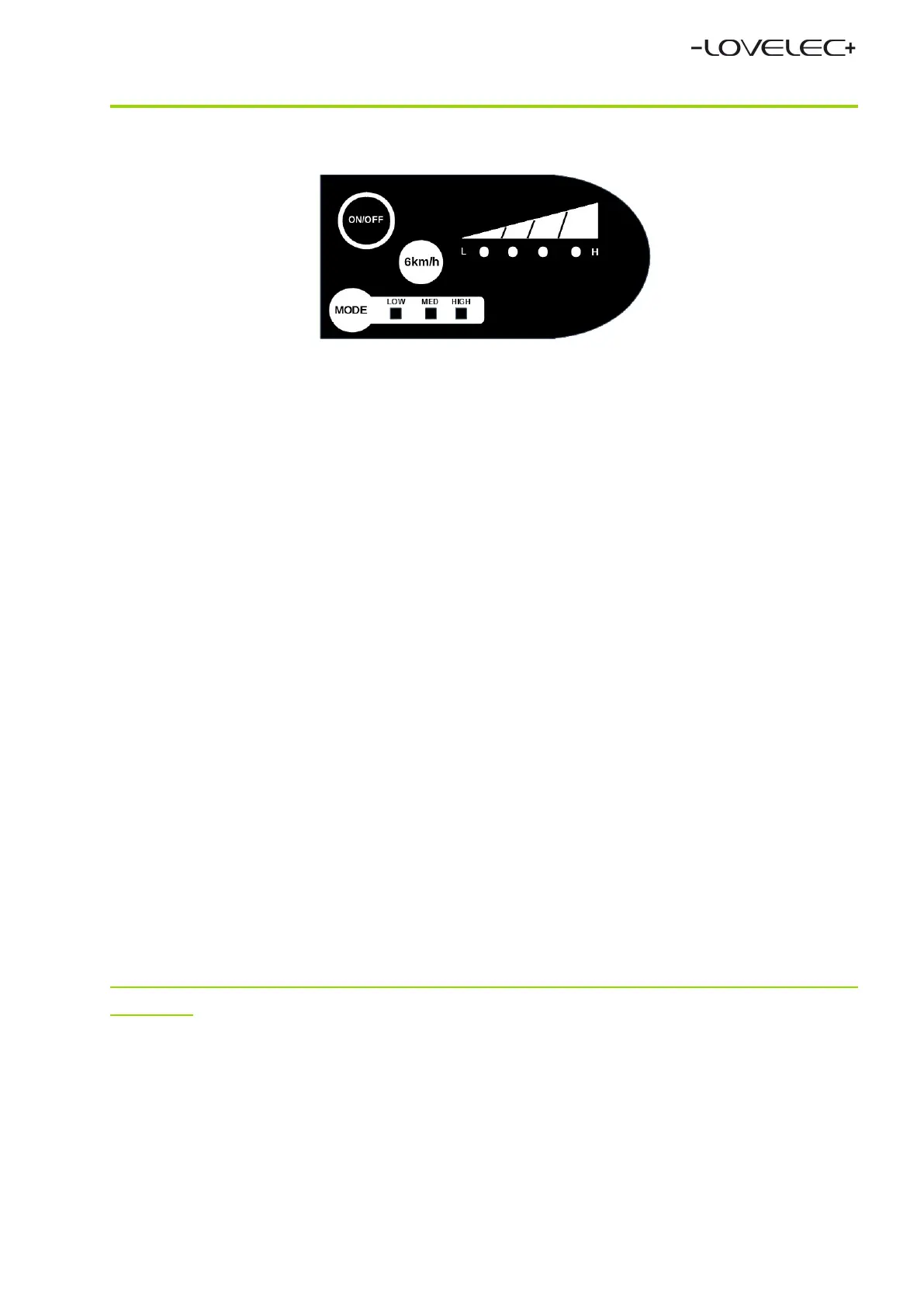
LED CONTROL PANEL
You can switch on the power supply of the e-bike motor by pressing the red button
ON/OFF (
top, left
) for a few seconds. You can switch off the power supply
of the e-bike motor by briefly pressing the red button ON/OFF (
top, left
).
By briefly pressing the green button MODE (
down, left
) you will select the motor
assistance level: LOW, MEDium, HIGH.
Charge indicator (
top, right
) shows the charge level: L (LOW) or H (HIGH).
4 diodes = the battery is charged > 80 %, 1 diode = the battery is charged
< 20 %.
Charge the battery as soon as possible if it indicates just one diode.
The charge status can also be found on the battery (see above).
The white button 6km/h (
in the middle
) serves as the activation of a walk
assistance. The walk assistance facilitates control of the e-bike (for example when
pushing the e-bike uphill). By pressing the „6km/h“ button you will activate
the assistance and the e-bike will move at the speed of 4–6 km/h. By releasing
the „6km/h“ button you will deactivate the assistance.
This function is to be used only for the e-bike control (pushing), not when setting off
or riding!
The LED control panel will be deactivated after approximately 5 minutes
of inactivity.
The control panel cover is made from ABS plastic, which ensures durability for common use.
Do not expose the control panel to temperatures below –20 °C and above 60 °C.
2023


 To Next Page
 Loading...