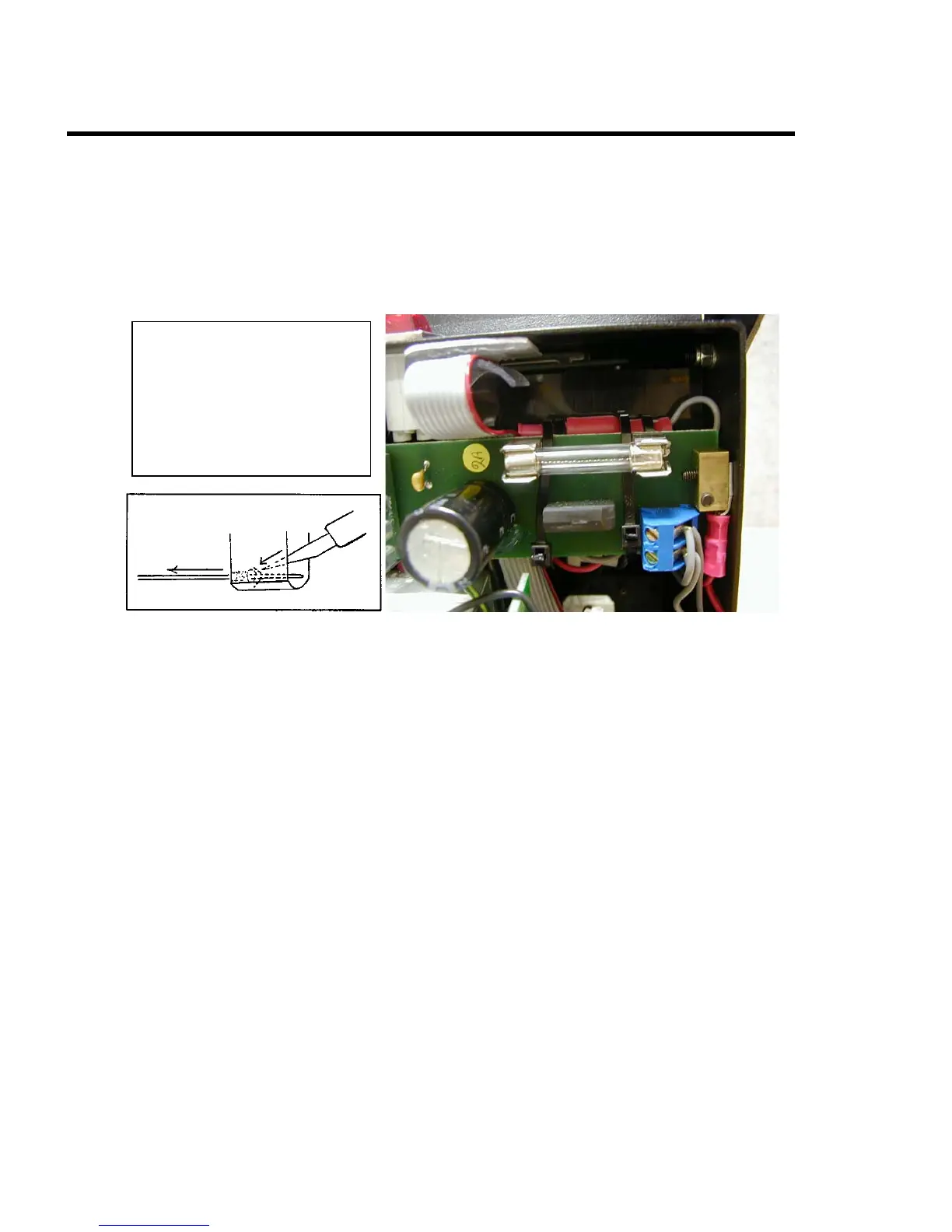
Low ink lamp/reservoir lead removal
To remove either low ink lamp leads or reservoir leads from the four-pin
connector, follow steps as listed:
* Turn unit off.
* Open lid.
* Remove ink bottle; place cap on bottle and set aside
* Remove two screws from pump cover, one on each edge, and set aside.
Next to the 2 amp fuse is two
Tie Wraps which hold the
cable harness in place. They
must be cut to loosen this
harness so that measurement
and rework can be done.
* Disconnect four pin connector from modular board to lamp/reservoir leads
by pulling male and female of connector apart.
* If a pin extraction tool is not available, use a fine point object with safety
gloves, to push two locks of male pins inward towards pin body.
* As locks of pin are being folded in, firmly tug wire away from connector.
* Repeat for each pin removed.
* Firmly tug wire away from connector.
* Repeat for each pin removed.
Head:
MICROJET Trouble-Shooting Guide 9


 To Next Page