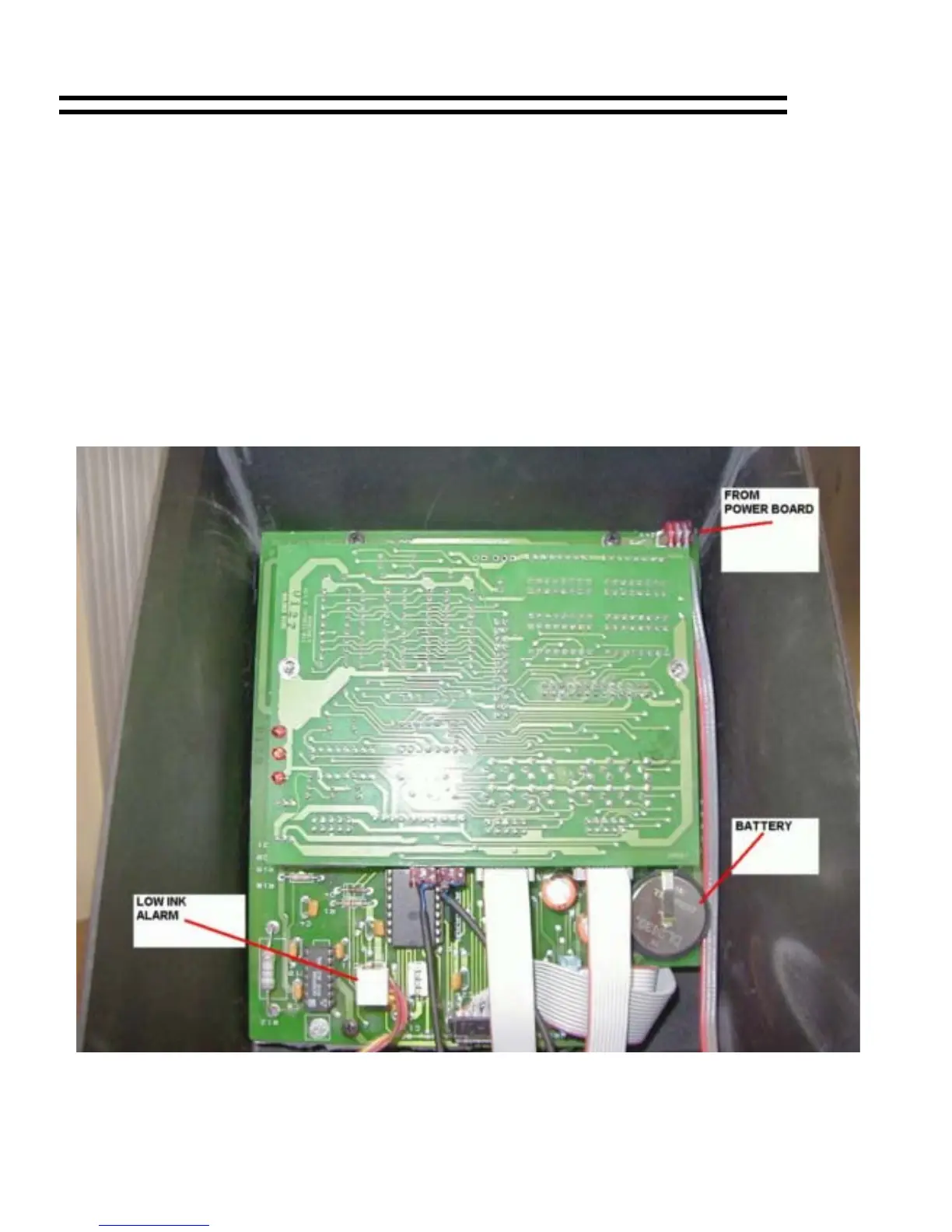
Battery Replacement Battery Replacement
1) Turn unit off. 1) Turn unit off.
2) Open back lid. Remove 2 screws from inside of top half of unit. Remove
DRIVER board from the CPU/KEYPAD assembly.
2) Open back lid. Remove 2 screws from inside of top half of unit. Remove
DRIVER board from the CPU/KEYPAD assembly.
3) If battery is soldered into CPU board: 3) If battery is soldered into CPU board:
A) Remove old battery. A) Remove old battery.
B) Note polarity of new battery and solder in place. B) Note polarity of new battery and solder in place.
If battery is in battery holder: If battery is in battery holder:
A) Remove old battery. A) Remove old battery.
B) Note polarity of new battery and slide into holder. B) Note polarity of new battery and slide into holder.
4) Reassemble CPU/KEYPAD assembly and test unit. 4) Reassemble CPU/KEYPAD assembly and test unit.
MICROJET Trouble-Shooting Guide 25
MICROJET Trouble-Shooting Guide 25


 To Next Page