Chapter 7 Storage Function
7.5 Updating the device using a storage device
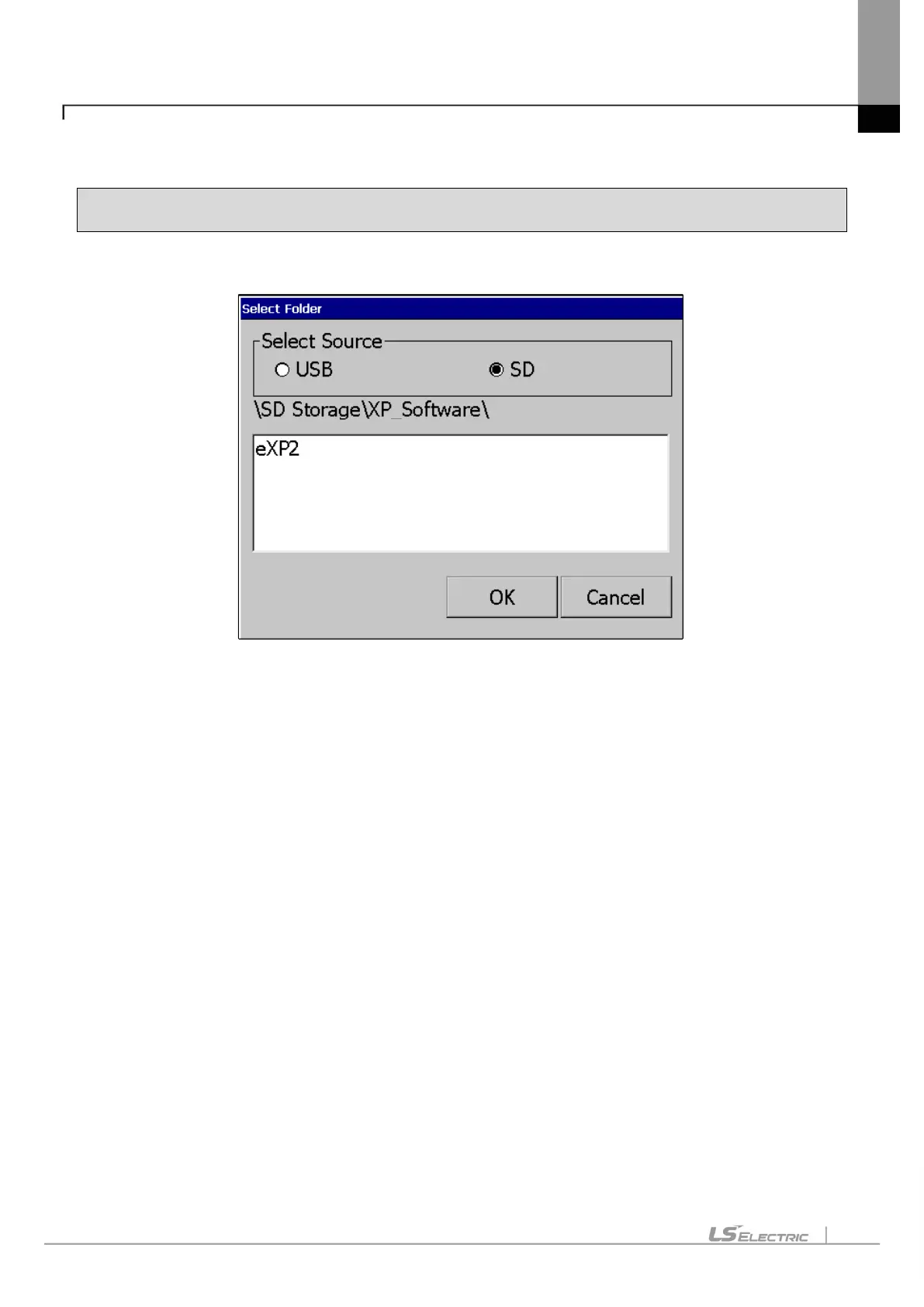
1. If you touch [Update XGT Panel] in the storage function menu, the following dialog box will be displayed.
2. Please select the targeted external memory in “Select Source”. Following path is indicated depending on the
selected external memory
- USB: \USB Storage\XP_Software\
- SD: \SD Storage\XP_Software\
If you want to update the device using an external storage device, the XGT Panel Software file is in the directory in the
above path
It must be saved.
3. Touch the [OK] button to update the device with the XGT Panel Software stored in the specified path.


 To Next Page