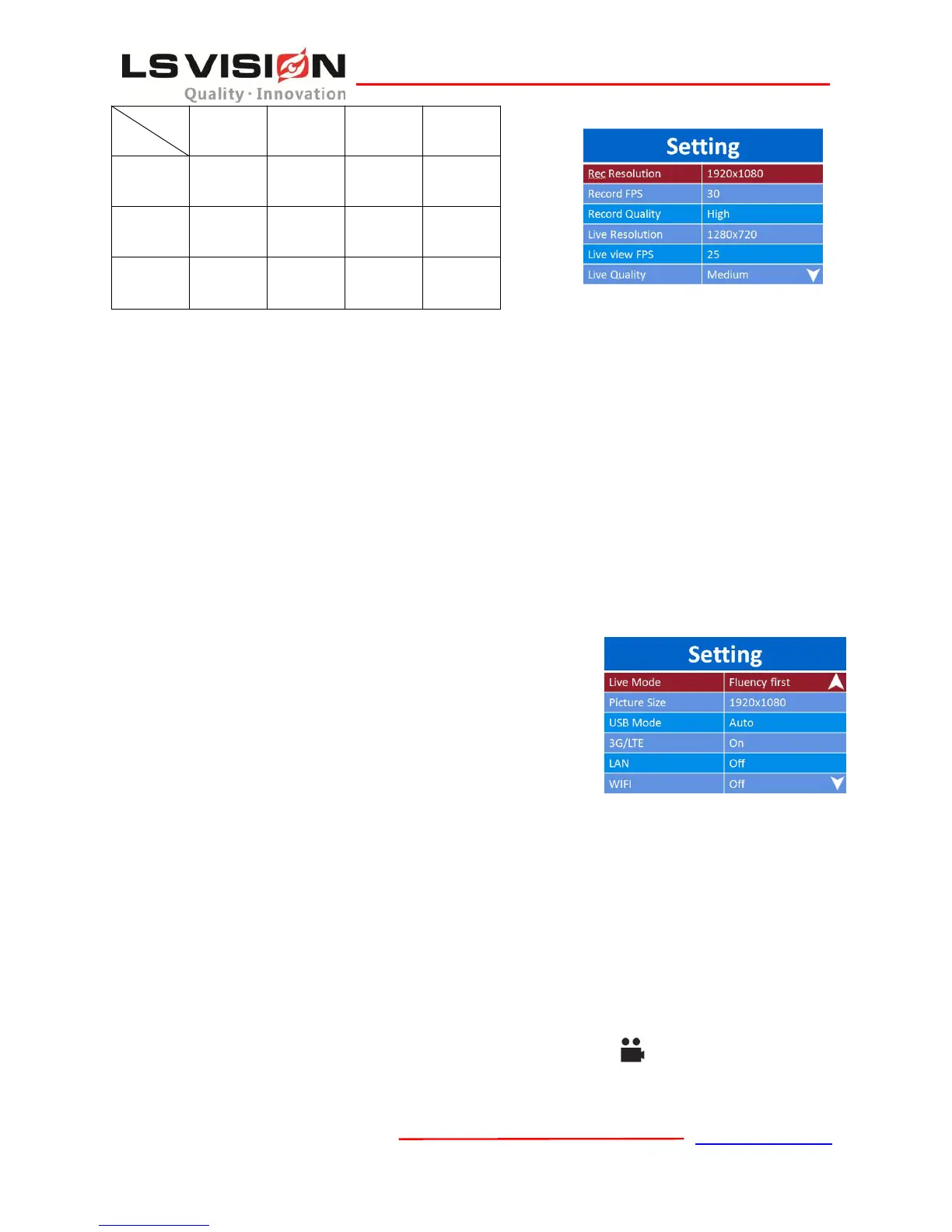
7.7 Live Mode
The default mode is Fluency First, which can give you a fluent live video, and the other is Quality
First that can give you a good quality of live video, but it might need a faster speed of network.
7.8 Picture Size
Set the resolution for taking pictures, the default value is 1920*1080. User can choose from
8640*4752, 7680*4288, 5760*3216, 3840*2144, 2880*1584 and 1920*1080.
7.9 USB Mode
The default USB Mode is Auto. User can choose from “Auto”, “Host” or “Device” Mode.
7.10 3G/4G
The 3G/4G mode is used to turn On/Off 3G/4G. The default mode is On.
7.11 LAN
This is used to turn On/Off the LAN port. This feature is reserved for
future use.
7.12 WiFi
Used for turn On/Off the WiFi. The WiFi is Off in the default.
7.13 LCD Brightness
Used to control the monitor’s brightness. There are “Auto”, “High”, “Medium” and “Low” Options.
And the High Brightness is the default.
7.14 Auto Screen Off
It’s a timeout value for turning off screen automatically. The default value is 30 seconds, user can
choose from 5 minutes, 3 minutes, 1 minute, 30 seconds and Off.
7.15 Record Mode
The record mode can be “Auto” or “Manual”. When it is “Auto”, device will record video
automatically and can NOT be stopped by pressing the Record Button .
7.16 IR Switch



 To Next Page