EasyManua.ls Logo

LSIS XBC-DN60SU - User Manual

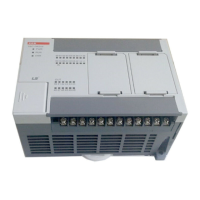
LSIS XBC-DN60SU
384 pages
Print Icon
To Next Page IconTo Next Page
Loading...
BEHA OTOMASYON
LS
PLC XGB-XBC SERİLERİ
KULLANIM KILAVUZU
www.behaotomasyon.com

Table of Contents

Questions and Answers

  • J
    janicelindseyAug 16, 2025
    What to do if PWR LED is off on LSIS XBC-DN60SU Controller?
    • J
      Jillian RamirezAug 16, 2025
      If the PWR LED is off on your LSIS Controller, first verify that the rated voltage is being supplied to the PLC. If the voltage supply is normal, it may indicate a hardware problem. Contact an A/S office or customer center for assistance.
  • D
    Denise SmithAug 19, 2025
    What to do if PWR LED is flashing on LSIS Controller?
    • P
      Patricia CarterAug 19, 2025
      If the PWR LED is flashing on your LSIS Controller, check the voltage and current of the power supply. If the problem persists, remove the input and output lines, re-supply power, and check again. If the problem continues, contact the A/S office or customer center.
  • M
    Megan GonzalezAug 22, 2025
    How to fix ERR LED flashing quickly on LSIS XBC-DN60SU Controller?
    • Z
      Zachary GreenAug 22, 2025
      When the ERR LED is flashing quickly on the LSIS Controller, it indicates a serious problem that prevents operation. Access the XGB with XG5000, go to ‘Online’ -> ‘PLC error/warning’, then check the error and warning messages, and resolve the underlying cause.
  • L
    Lawrence MccarthyAug 25, 2025
    Why is RUN LED off on LSIS XBC-DN60SU Controller?
    • B
      Bryan WestAug 26, 2025
      If the RUN LED is off on your LSIS Controller, it means that the program has stopped running. Check the ERR LED to determine if the program stopped due to an error or because the operation mode is set to STOP.
  • M
    Madison RochaAug 28, 2025
    What to do if Positioning Output LED is off on LSIS XBC-DN60SU Controller?
    • K
      Karen WatkinsAug 28, 2025
      If the Positioning Output LED is off on the LSIS Controller, it indicates that the pulse is not being output normally, or the positioning operation has finished normally. If the operation finished normally, start the next operation instruction. If there is an error, check the positioning error code and resolve the cause.
  • R
    Rita SullivanAug 31, 2025
    What does it mean when ERR LED is on LSIS XBC-DN60SU?
    • N
      Nathan MoraAug 31, 2025
      If the ERR LED is on for the LSIS Controller, there is a problem with the PLC hardware. Contact an A/S office or customer center for assistance.
  • K
    Kelsey BuchananSep 3, 2025
    Why is Positioning Output LED fast flashing on LSIS Controller?
    • H
      Holly ClaySep 3, 2025
      If the Positioning Output LED is flashing quickly, it means the pulse is being normally output by the positioning function. Check the lines of the XGB and motor driver to ensure there are no issues.
  • E
    Erin GallegosSep 6, 2025
    What does it mean when PWR LED is on LSIS Controller?
    • J
      Jennifer ThompsonSep 6, 2025
      If the PWR LED is on for the LSIS Controller, the power supply is normal. Check whether there is another cause for the issue you are experiencing.
  • T
    tylerschneiderSep 9, 2025
    What does Direction Output LED On (HIGH Active) mean on LSIS XBC-DN60SU Controller?
    • D
      Douglas MurilloSep 9, 2025
      If the Direction Output LED is on (HIGH Active) for the LSIS controller, it means that direction signals are being output in the reverse direction, or the positioning operation has finished normally. Start the next operation instruction. If there is an error that makes positioning operation impossible, check the positioning error code and remove the cause.
  • P
    Paul BlackSep 12, 2025
    What does it mean when RUN LED is on LSIS XBC-DN60SU Controller?
    • D
      Denise JonesSep 12, 2025
      If the RUN LED is on for the LSIS Controller, it means the program is operating normally. Check whether there is another cause for any issues you might be experiencing.

Summary

Safety Instruction

Before using the product

Read safety instructions thoroughly before using the product for safety and effective operation.

Warning

Symbol indicating possibility of serious injury or death if instructions are violated.

XGB System Configuration

2.1 XGB System Configuration

Describes XGB series system configuration, I/O points, and module expansion.

CPU Specifications

4.1 Performance Specifications

Details performance specifications of XGB compact type CPU, including program control, I/O, and data area.

Program Configuration and Operation Method

5.1 Program Instruction

Explains program instructions, execution methods, scan time, and watchdog timer.

5.2 Program Execution

Covers program configuration, execution methods, and task management.

5.3 Operation Mode

Describes the CPU module operation modes: RUN, STOP, and DEBUG.

CPU Functions

6.2 Parameter Setting

Details the process of setting parameters for CPU functions.

6.3 Self-diagnosis Function

Explains the self-diagnosis function for identifying and fixing errors.

6.5 Forced Input;Output On and Off Function

Details the Force I/O function to manually control I/O states.

6.7 Diagnosis of External Device

Covers flags and procedures for diagnosing external device faults and system warnings.

6.9 Online Editing

Describes modifying programs and parameters online without stopping the PLC.

6.13 Clear All PLC

Describes the function to clear all PLC data, including parameters, programs, and passwords.

Input;Output Specifications

Built-in High-speed Counter Function

8.1 High-speed Counter Specifications

Details specifications, setting, and usage of the built-in high-speed counter.

DC Input Option Board

10.2 High Speed Counter Specification

Describes the high-speed counter function built into XGB input option boards.

TR Output Option Board

11.3 Positioning Specification

Describes specifications, usage, functions, programming, and wiring of the built-in positioning function.

Installation and Wiring

13.1 Safety Instruction

Provides crucial safety instructions to prevent accidents and ensure safe PLC operation.

Maintenance

Troubleshooting

15.1 Basic Procedure of Troubleshooting

Explains basic troubleshooting steps: visual checks, trouble identification, and cause analysis.

15.2 Troubleshooting

Details procedures for identifying causes of troubles and applying corrective actions.

15.5 Error Code List

Lists error codes, causes, actions, LED status, and diagnosis points for system errors.

Appendix 4 Instruction List

LSIS XBC-DN60SU Specifications

General IconGeneral
ManufacturerLSIS
Product TypePLC (Programmable Logic Controller)
SeriesXBC
ModelXBC-DN60SU
CategoryController
Power Supply24 VDC
Digital Inputs36
Digital Outputs24
Communication InterfaceRS-232C, RS-485
Input Voltage24 VDC
Storage Temperature-25 to 70°C
Humidity5 to 95% RH (non-condensing)
Output TypeTransistor
Cooling MethodNatural convection
Protection FeaturesOvervoltage, Overcurrent
Operating Temperature0 to 55°C

Related product manuals