Appendix 1. Troubleshooting
App.1-14
Object
Error code
Occurrence
location
Error message Reason and measure
Type Address
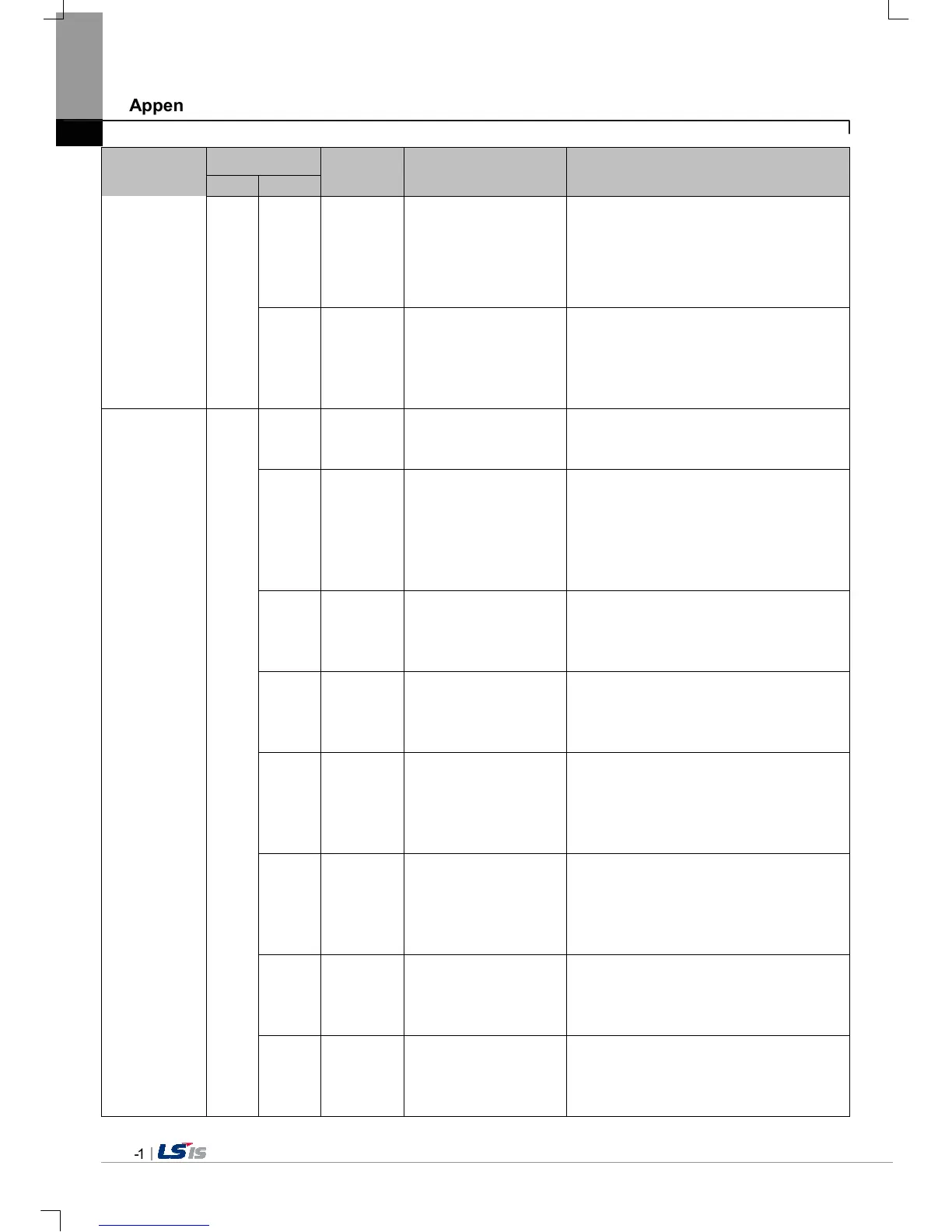
0x5D XGT Panel
Cannot find download
file.
The project data file can’t be found. Save the
project data file at the USB again. When this
symptom is repeated, check the USB. If there
is no error, contact Customer Service Center.
Download file size is
invalid.
The project data file is not saved correctly.
Save the project data file at the USB again.
When this symptom is repeated, check the
USB. If there is no error, contact Customer
Service Center.
Project
download from
USB storage
device
0x27
Cannot find project
backup file.
The project backup file which should be
downloaded is not downloaded because of
communication error. Download again.
0x60 XGT Panel
Project backup file size is
invalid.
The project backup file is saved incorrectly.
Save the project at the USB storage
equipment again. When this symptom is
repeated, check the USB storage equipment
and if the USB is normal, contact Customer
Service Center.
0x61 XGT Panel
Font file name length is
invalid.
The font file’s name is saved incorrectly. Save
the project in the USB again. If this symptom
is repeated, contact Customer Service
Center.
0x62 XGT Panel
Font file is not
downloaded.
The font file which is needed for project is not
saved in the USB storage equipment. Save
the project in the USB. If this symptom is
repeated, contact Customer Service Center.
0x63 XGT Panel
Font file size is invalid.
The font file is not saved correctly. Save the
project at the USB. Save the project at the
USB. If this symptom is repeated, check the
USB and if the USB is normal, contact
Customer Service Center.
0x64 XGT Panel
Cannot unmarshall
download file.
The data can’t be analyzed because the
project data file is not saved correctly. Save
the project at the USB again. If this symptom
is repeated, check the USB and if the USB is
normal, contact Customer Service Center.
0x65 XGT Panel
Cannot delete previous
project data.
The data of the project can’t be deleted
because of device error. If this symptom is
repeated, check the USB and if the USB is
normal, contact Customer Service Center.
0x66 XGT Panel
Cannot move new font
files.
Downloaded font file is moved to the original
storage location. But when it fails, the
downloading is stopped. If this symptom is
repeated, contact Customer Service Center.


 To Next Page
 Loading...