Appendix 1. Troubleshooting
App.1-17
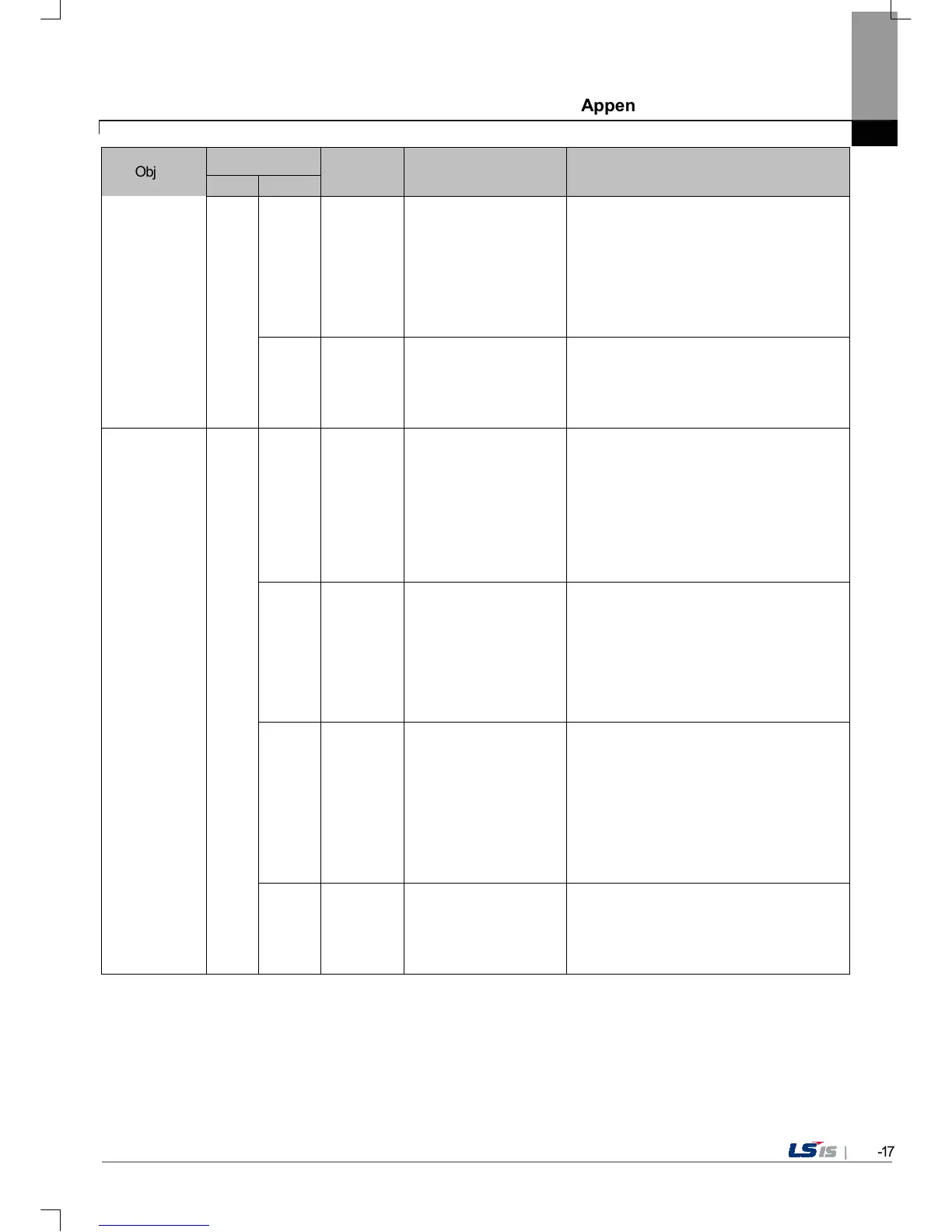
Object
Error code
Occurrence
location
Error message Reason and measure
Type Address
0x24 XP-Builder
There's no file to
download.
The version information list to update is
empty. Check the module folder newly
designated at XP-
Builder and if there is no error, download XGT
Panel module and try update again. If this
symptom is repeated, contact Customer
Service Center.
0x25 XP-Builder
Downloaded file is not
Module to download.
The wrong file which is not in the new module
list of XGT Panel is downloaded. Try update
of XGT Panel again. If this symptom is
repeated, contact Customer Service Center.
XGT panel
S/W update
0x30
Not enough space in
flash memory.
The space to copy new module in XGT Panel
is not enough. After deleting the unnecessary
file or backing up the previous file to the
movable storage equipment, try update again.
If this symptom is repeated after deleting,
contact Customer Service Center.
0x27 XGT Panel
Failed to Copy module
~.dll
The new module is not installed because of
XGT Panel’s error. After rebooting the device,
touch \\FlashDisk\LSISProduct\Update.exe
and set the device as update mode. Then
update again. If this symptom is repeated,
contact Customer Service Center.
0x28 XGT Panel
Failed to Start Engine.
Please update engine
again.
To reboot the engine is not available because
of wrong file which is developed by
downloading wrong module or
communication error.
Touch \\FlashDisk\LSISProduct\Update.exe
and set the device as update mode. Then
update again. If this symptom is repeated,
contact Customer Service Center.
0x2A XGT Panel
Failed to write Data to
Module version File.
It is failed to record the version information
during update of XGT Panel. If this symptom
is repeated, contact Customer Service
Center.


 To Next Page
 Loading...