DX Loudspeaker Controller User Manual
9
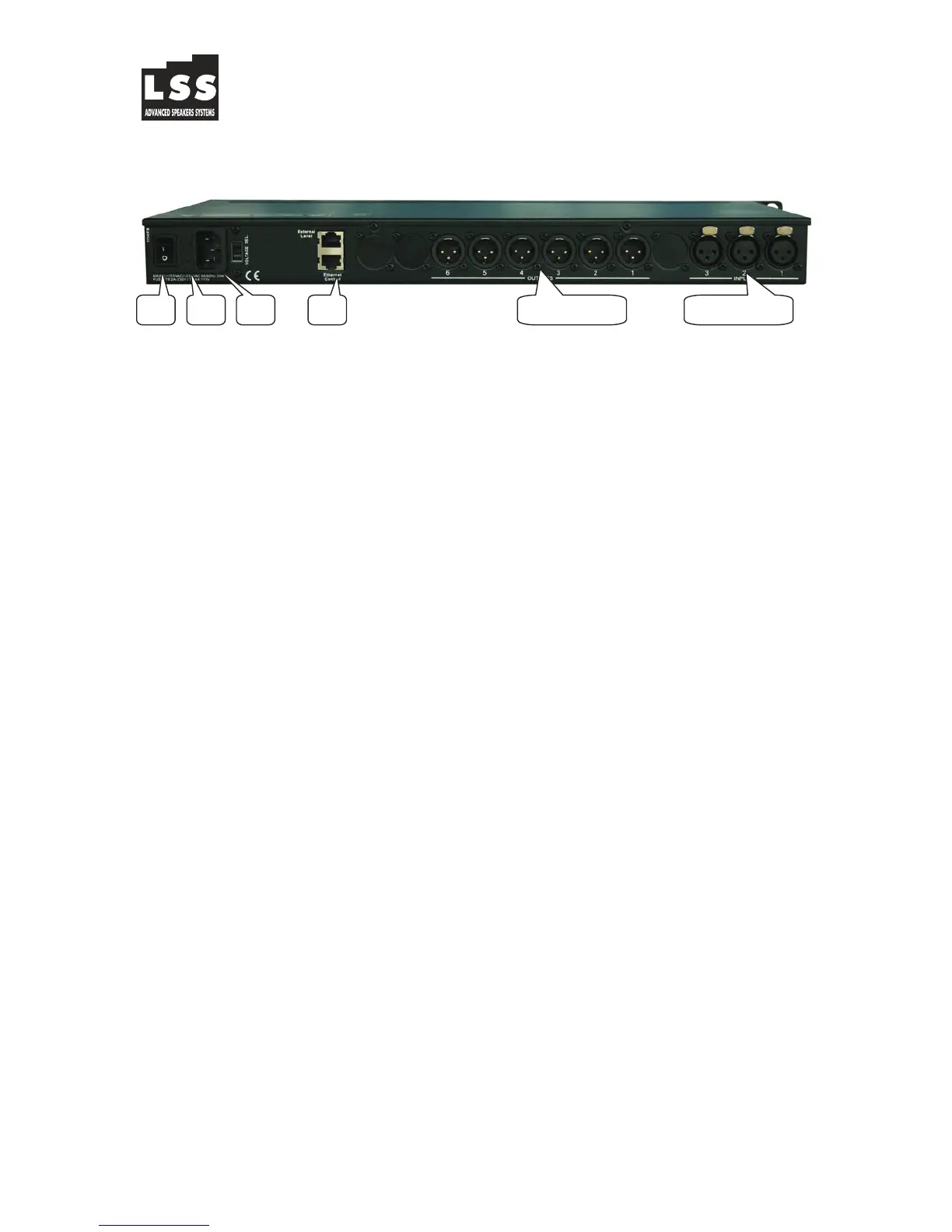
4.0 Rear Panel Functions
1.
Main Power - Connects via a standard IEC socket. A compatible power
cord is supplied with the unit. The voltage input is 110V/240VAC, 50-60Hz.
2. Main Fuse - T2.5A-250V. Slow blow type.
3. Power switch - Controls power On/Off.
4. RS485 – Let remote control the device’s up to 1000M and connect
devices in serial up to 250 sets
5. XLR input and outputs - Separate 3-pin XLR connectors are provided
for each audio input and output. The device's output stage employs the
balanced impedance topology. All I/O conn ectors have pin 1 as ground
(shield), pin 2 as + and pin 3 as -.
5.0 Powering Up the Device
• After powering up the unit, the following initialization screen is displayed
on the LCD:
• The initialization process takes about 8 seconds and during that period
the unit boots and displays the device model and firmware version.
• After the initialization process is finished the DX displays its main screen:
• The screen shows the current program number and program name
assigned to the unit. If the 2 fields are empty, it means that no program
is assigned, the last data before previous power down is recalled instead.
• Now the DX is ready to operate.
** DX Series **
DX-360 v1.00
DEVICE : 1
PROG (U):1
*(U)> User program (F) Factory program
5 Output 4 2 1 3 5 Input
LSS Advanced Speakers Systems via On. Longo 53 89024 Polistena (RC) ITALY tel +39 - 0966 - 932199. fax +39 - 0966-933007 e-mail: info@lss.it


 To Next Page