GB
RECHARGEABLE 35W MEGAPHONE
WITH RECORD FUNCTION & USB/SD/AUX INPUT
MEGAPHONE 35W RECHARGEABLE
AVEC FONCTION D’ENREGISTREMENT & USB/SD/AUX
AUFLADBARES 35W MEGAFON
MIT AUFNAHMEFUNKTION & USB/SD/AUX EINGANG
OPLAADBARE 35W MEGAFOON MET OPNAME FUNCTIE &
USB/SD/AUX INGANG
MEGAFONO 35W RECARGABLE CON FUNCION DE GRABACION &
USB/SD/AUX
MEGAFON REINCARCABIL 35W
CU FUNCTIE DE INREGISTRARE SI INTRARE USB/SD/AUX
POLNILNI 35W MEGAFON
Z FUNKCIJO SNEMANJA IN USB / SD / AUX VHODOM
MEGAFONE RECARREGÁVEL COM GRAVAÇÃO DE SOM 12
SEGUNDOS E LEITOR MULTIMÉDIA USB/ MICRO SD CARD
MEGA35USB (95-2003)
INSTRUCTION MANUAL
MANUEL D’UTILISATION
BEDIENUNGSANLEITUNG
HANDLEIDING
MANUAL DE INSTRUCCIONES
NI
NAVODILA ZA UPORABO
MANUAL DE INSTRUÇÕES
" All ABS Body, sturdy yet light weight
" Built –in Siren & Microphone
" Clear sound, long range & efficient design
" 12 Seconds Voice Recording Function
" Built-in rechargeable Li-ion battery
BEFORE YOU START
The megaphone can be powered via the built-in Li-ion battery or 6x ‘D’ cells.
Before the first use, open the battery compartment of the megaphone by pushing the
red button on the upper part of the handle. . Unplug the built-in Li-ion battery pack
and connect it to your computer, smartphone or any other USB unit supplying a
voltage of 5Vdc. Let the battery charge for about 6-8 hours. Once the battery pack is
fully charged, open the battery compartment, insert the battery pack and connect it
to the 2-pin socket.
You can also insert 6x D cells with the correct polarity. Close the battery
compartment.
OPERATION
Press the ON/OFF button on the rear plate.
MICROPHONE: Place your lips as close as possible to the microphone. Adjust the
volume to the desired level via the slider below the buttons. Don’t set the volume too
loud in order to avoid howling and feedback.
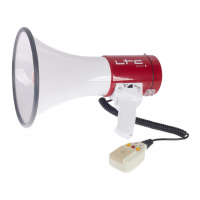
You can also plug the supplied hand-held microphone into the socket on the rear
panel above the buttons. Press the red button on the microphone before you start
talking into the microphone. Keep the button pressed while you are speaking.
SIREN: Press the SIREN button to activate the built-in siren. Press again to switch off
the siren.

 Need help?

 To Next Page

 General