OSD Menu
10
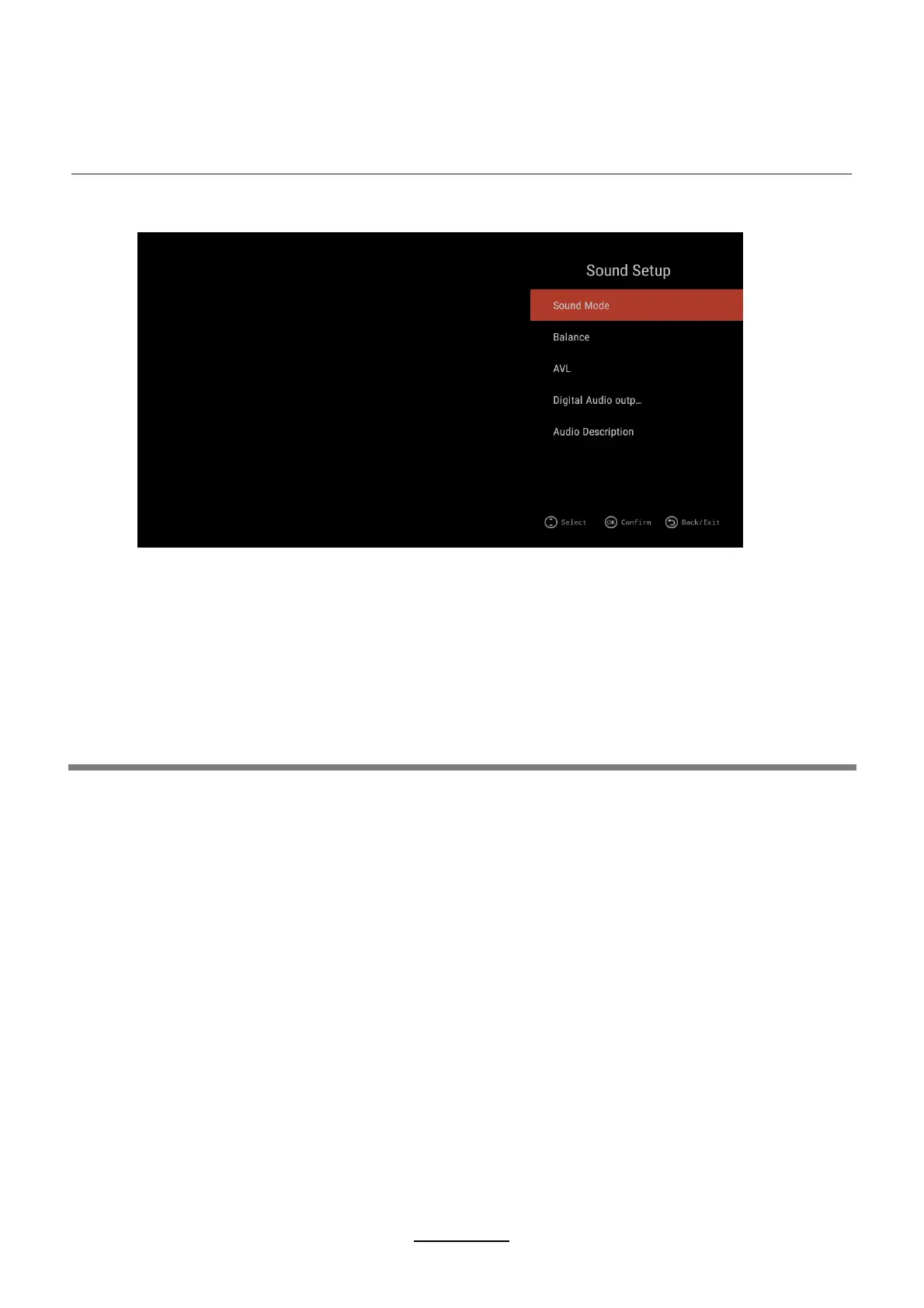
2. Sound Setup
Description
Sound Mode: Press ▲/▼ button to select Sound mode, and then press ENTER button to confirm.
(Available Sound mode: Standard, Movie,Music,User).
You can adjust the value of bass and treble, when the sound is in User mode.
TIPS: You can press S-MODE button on the remote control to change the Sound Mode directly.
1.Press ▲/▼ button to select the option that you want to adjust in the Sound menu, then
press ENTER button to enter.
2.press ◄/► button to adjust or press ▲/▼ to select, and press ENTER button to select
submenu.
3.After finishing your adjustment, Press MENU button to save and return back to the previous
menu, or press EXIT button to exit the entire menu.
AVL:
Press ▲/▼ button to select AVL, then press ENTER button to adjust. Then press EXIT button
to return back the previous menu directly.
Audio Description:
Digital Audio output:
Press ▲/▼ button to select Audio Description then press ENTER button to adjust
(Available AD ON/OFF)
When you select AD ON, you can press ◄/► button to adjust Mixing Level.
Press ▲/▼ button to select SPDIF Output, then press ENTER button to confirm
(Available SPDIF mode: AUTO, PCM, OFF)
Then press ENTER button or ► button to enter and press ◄/► button to adjust, then press MEXIT
button to return back the previous menu directly.
Balance:
Press ▲/▼ button to select Balance, then press ◄/► button to adjust. Then press EXIT
button to return back the previous menu directly.



 To Next Page