OSD Menu
9
1. Picture menu
Description
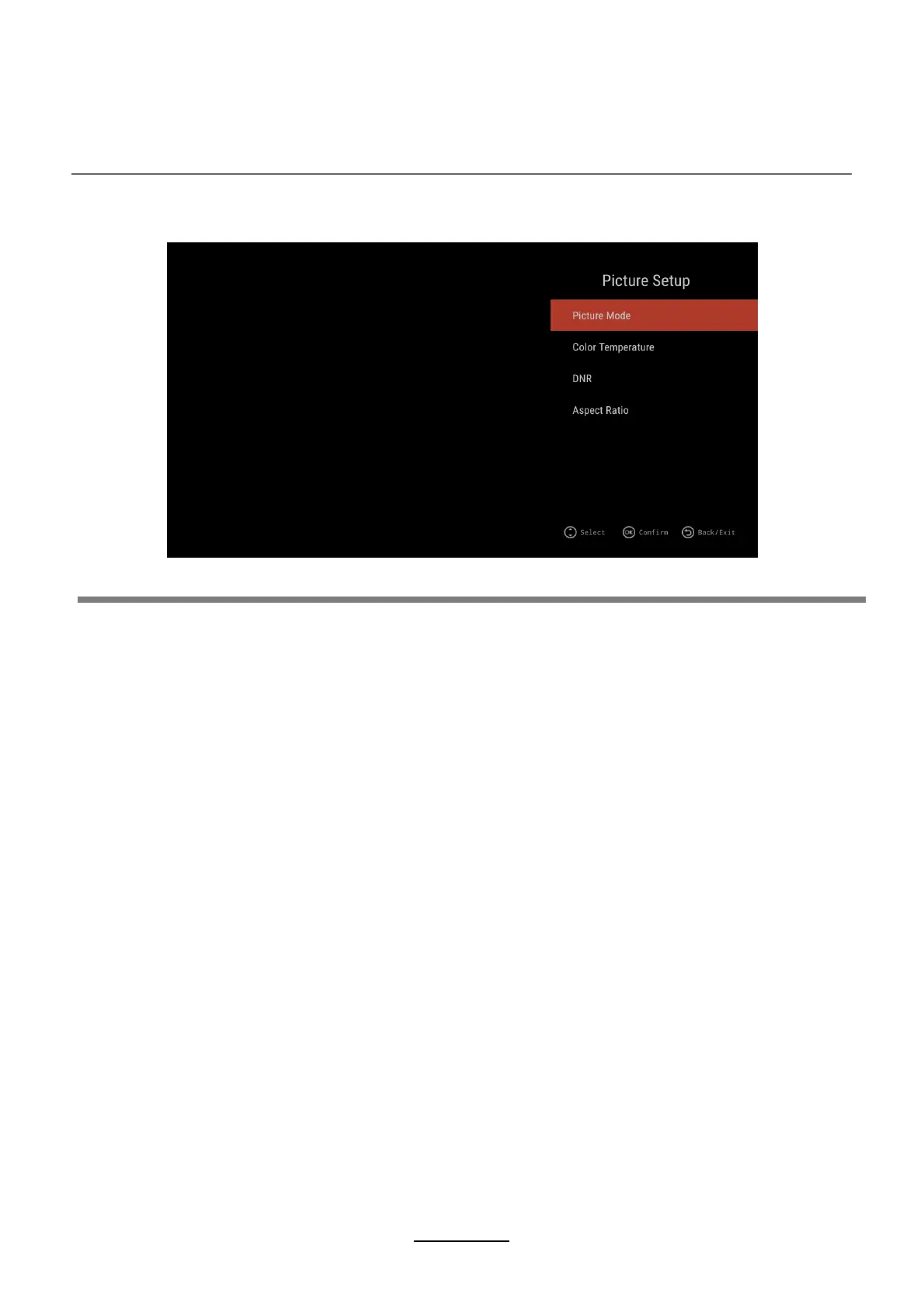
Picture Mode:
TIPS:
Press ▲/▼ button to select Picture Mode, then press ENTER button to enter.
(Available Picture Mode:, Standard, Dynamic, Mild, User)
You only can adjust the value of brightness, contrast, sharpness, color, when the picture is in
User mode.
You can press P-MODE button on the remoter control again and again to change the
picture mode directly.
Press ▲/▼ button to select DNR, and then press ENTER button to enter and ◄/► button
to select Off, Low, Middle, High.
Press ▲/▼ button to select Aspect Ratio, then press ENTER button to enter and
press ◄/► button to adjust. Then press EXIT button to return back the previous menu directly.
Press ▲/▼ button to select Colour Temperature, then press ENTER
button to enter and ◄/► button to select Standard, Cool, Warm.
Aspect Ratio:
DNR:
Colour Temperature:


 To Next Page