OSD Menu
12
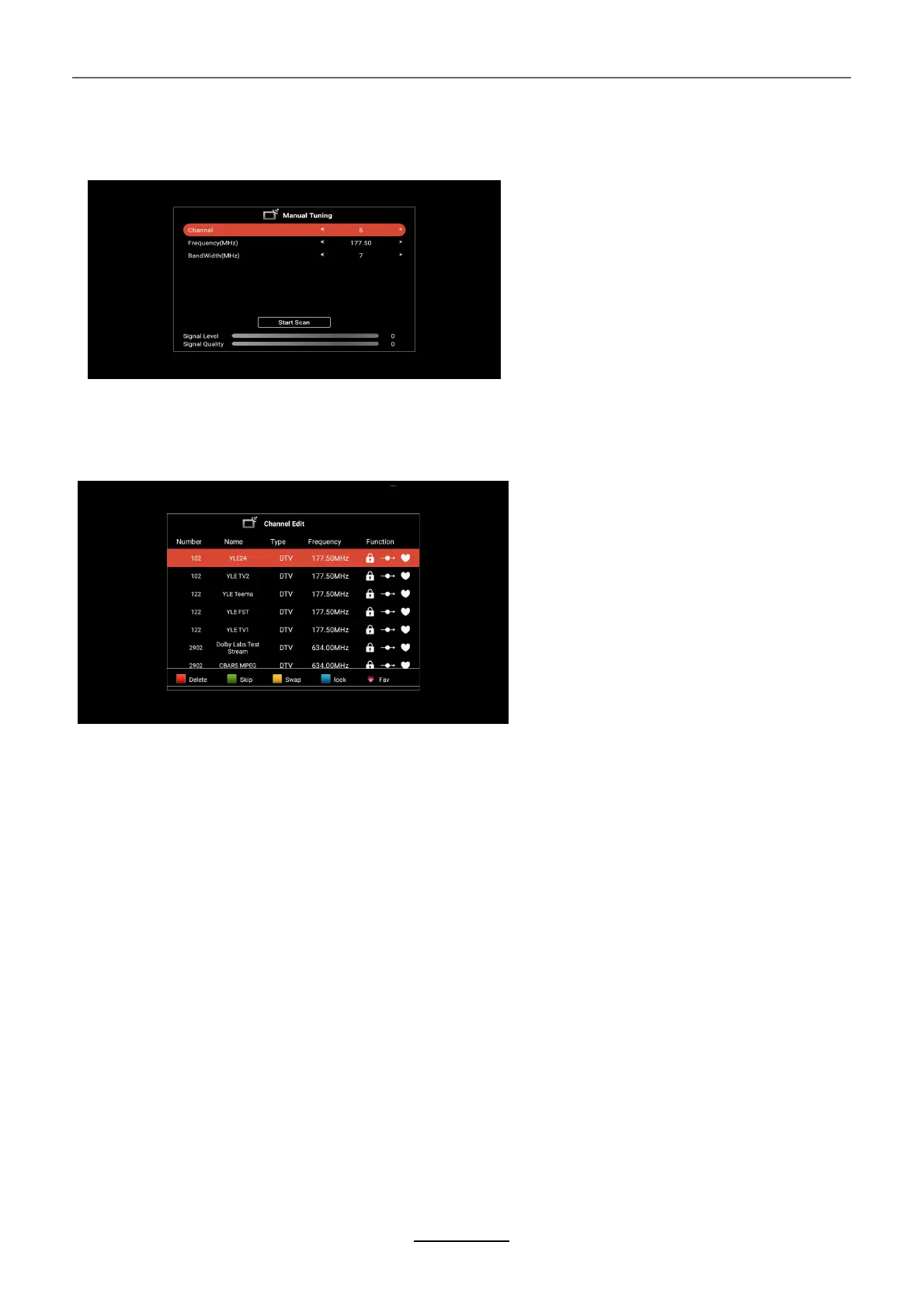
DTV Manual Scan
channel Edit
Common Interface
DTV Setting
Subtitle Display
Subtitle Type
Audio Type
Press ▲/▼ button to select ,press ◄/► button to adjust, and then press EXIT button to return
pre.menu ,The menu will appear as follows:
Press ▲/▼ button to select channel Edit, and then press ENTER button to enter, you can use the
Four Color keys to do Delete/Skip/Swap/Lock function, and press Fav.Key to set Fav.channel. The
menu will appear as follows:
Press ▲/▼ button to select Common Interface, and then press ENTER button to enter. You can
check the CAM/CI card information by this menu.
Press ▲/▼ button to select DTV Setting, and then press ENTER button to enter, The menu will
appear as follows:
Press ENTER key to enter the sub-menu, you can Press ENTER Key to select Subtitle ON/OFF,
When the subtitle set to ON, you can select subtitle language by Subtitle language item
Press EXIT button to return pre.menu
Press ENTER key to enter the sub-menu, you can Press ENTER Key to select Normal subtitle or
the subtitle for Hard of Hearing
Press ENTER key to select Prefer Subtitles 1/Prefer Subtitles 2
Press EXIT button to return pre.menu
Press ENTER key to enter the sub-menu, you can Press ENTER Key to select Normal Audio or the
Audio for Hard of Hearing
Press ENTER key to select Prefer Audio 1/Prefer Audio 2
Press EXIT button to return pre.menu



 To Next Page