Quickly Guider of LTE Router LTE-S4
Step 3: Operation Mode:
After entered the WEB management page, you can set LTE-S4 as your requirement. The
default working mode of this device is 3G/4G mode. Following will explain the setting of
3G/4G Operation mode:
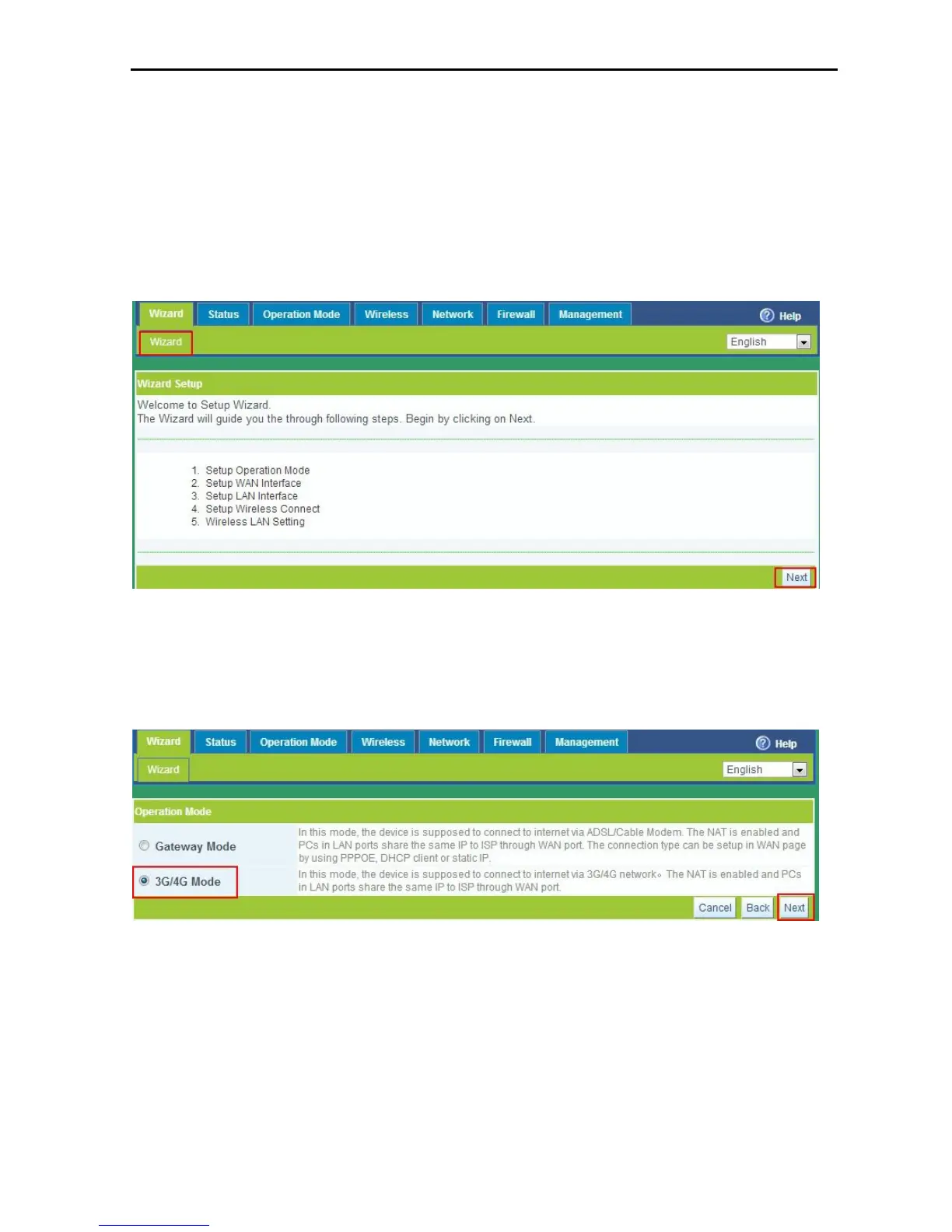
Wizard: As P6 shows, click the “wizard” in the management page, then click” next”
Choose operation mode: After click “ Next”, Choose 3G/4G mode in the P 9 shows,
then click “next”.
P7 Choose working mode.
Wan Setting: After enter in the WAN setting page as P8 shows, choose
corresponding mode in the pull-down menu (take”3G” as example), then enter your
user name and password of mobile network (please consult your network operator
for help if don’t know the user name and passwords).



 To Next Page