16
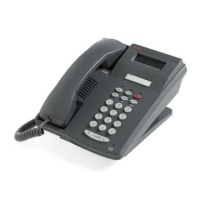
970 ISDN Telephone
Adjusting Volume
Adjust the Speaker or Handset Volume
To raise the volume while on a call, press the upper
[
ÙÙ
ÙÙ
Ù
]
volume control button.
To lower the volume while on a call, press the lower
[
ÚÚ
ÚÚ
Ú
]
volume control button.
Adjust the Ringer Volume
To raise the volume of the ringer, press the upper
[
ÙÙ
ÙÙ
Ù
]
volume control button while the telephone is on hook.
To lower the volume of the ringer, press the lower
[
ÚÚ
ÚÚ
Ú
]
volume control button while the telephone is on hook.



 To Next Page