EasyManua.ls Logo

Lucky FF718Li - User Manual

Lucky FF718Li
63 pages
Go to English
Print Icon
To Next Page IconTo Next Page
Loading...
Bruksanvisning för fishfinder
Bruksanvisning for fishfinder
Instrukcja obsługi echosondy wędkarskiej
Operating instructions for Fishfinder
953-099
SV
Bruksanvisning i original
NO
Bruksanvisning i original
PL
Instrukcja obsługi w oryginale
EN
Operating instructions in original
24.06.2013 © Jula AB

Table of Contents

Questions and Answers

  • J
    James KellyJul 27, 2025
    What to do if my Lucky Fish Finder says no sensor is detected?
    • M
      Matthew OrtegaJul 27, 2025
      First, ensure the correct sensor is connected to the unit when starting. Check the sensor cable for any damage along its entire length. Make sure the sensor is fully covered by water. If the sensor is connected via a switch, connect it directly to the sensor and try again. If the problem persists, the sensor may be defective; include it when returning the unit for repair.
  • B
    bonnie83Aug 4, 2025
    How to fix a Lucky Fish Finder when no bottom profile is shown?
    • T
      Tricia LuceroAug 4, 2025
      Check that the sensor cable is intact along its entire length. If this doesn't solve the problem, the sensor is likely defective. Always include the sensor when returning the unit for repair.
  • X
    xwebsterAug 11, 2025
    Why is the depth wrong on my Lucky FF718Li Fish Finder in shallow water?
    • K
      Kristin ScottAug 11, 2025
      The unit may not work reliably in water shallower than 0.9 meters. Also, remember that the depth is measured from the sensor's location, not from the surface of the water.
  • U
    ucruzAug 19, 2025
    Why does my Lucky FF718Li show black dots on the display?
    • A
      Aaron SantanaSep 12, 2025
      The black dots you see are likely noise or interference, possibly caused by nearby electronic equipment. Try switching off any electronic equipment to see if the problem stops. Engine noise can also cause interference, worsening at high engine speed. Check this by increasing the engine speed when no gears are engaged. Propeller cavitation can also appear as interference. Ensure the sensor is at least 380 mm from the propeller to avoid turbulence interference.

Summary

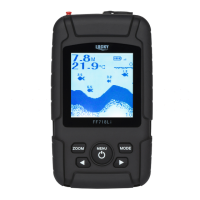
Operating instructions for Fishfinder with connected sensor

Operation

Describes how to use the fishfinder with a connected sensor, including modes and basic functions.

Function

Explains the basic working principle of the fishfinder, including sonar waves and depth measurement.

Display

Details the information shown on the fishfinder display, including depth, temperature, and fish symbols.

Switching on;off

Instructions on how to power the fishfinder unit on and off using the power switch button.

Menu System

Overview of the menu system for adjusting settings like language, light, sensitivity, and depth range.

Language

How to select the display language for the fishfinder, choosing between English or Chinese.

Light

Instructions to adjust the display backlight, including turning it off or setting brightness.

Sensitivity

Guidance on adjusting display detail and echo visibility for different water conditions.

Depth Range

How to set or automatically adjust the depth range displayed on the fishfinder screen.

ZOOM

Enables enlarging the bottom area to view fish and structures not visible in normal operation.

Depth Alarm

Setting an alarm to notify when the water depth reaches a specified limit.

Fish Alarm

Configuring an alarm to alert when fish are detected, with options for different fish sizes.

Fish Icon

Enabling or disabling the display of fish symbols on the screen based on signal interpretation.

Chart Speed

Adjusting the speed at which the depth information scrolls across the display.

Depth Units

Selecting the display units for depth measurement, such as feet or meters.

Tempe Unit

Choosing the unit for displaying water temperature, either Fahrenheit (°F) or Celsius (°C).

Maintenance

Instructions for proper care and cleaning of the fishfinder to ensure optimal performance.

Troubleshooting

Guidance on diagnosing and resolving common problems encountered with the fishfinder.

Operating instructions for Fishfinder with wireless sensor

Operation

Describes how to use the fishfinder with a wireless sensor, including setup and modes.

Use

Instructions for using the fishfinder in WIRELESS mode with the wireless sensor.

Line

Guidance on attaching the fishing line to the wireless sensor for optimal use.

Power supply

Information on the wireless sensor's power source and battery replacement.

Display

Details the information shown on the fishfinder display when using a wireless sensor.

Switching on;off

How to turn the fishfinder unit on and off using the power switch button.

Language

Setting the display language for the fishfinder unit, choosing between English or Chinese.

Light

Adjusting the display backlight brightness or turning it off.

Sensitivity

Configuring the sensitivity setting to control the detail of information shown on the display.

Depth Range

Setting the depth range manually or using the automatic setting for accurate readings.

ZOOM

Enlarging the bottom area of the display to better see fish and structures.

Depth Alarm

Setting an audible alarm for when the water depth reaches a predefined minimum.

Fish Alarm

Activating an alarm that signals when fish are detected by the unit.

Fish Icon

Enabling the display of fish symbols on the screen to indicate detected fish.

Chart Speed

Adjusting the scrolling speed of the sonar data on the display.

Depth Units

Selecting the units for displaying depth, such as meters or feet.

Tempe Unit

Choosing the unit for displaying water temperature, °F or °C.

Advanced functions

Details on additional features such as surface water temperature and function checks.

Maintenance

Instructions for caring for the wireless sensor and fishfinder unit.

Troubleshooting

Common issues and their solutions for the wireless fishfinder system.

Lucky FF718Li Specifications

General IconGeneral
BrandLucky
ModelFF718Li
CategoryFish Finder
LanguageEnglish

Related product manuals