10
www.LumaComfort.com
TIMER Button
This evaporative cooler is equipped with a 7.5 hour programmable timer. To
set the timer, press the TIMER button. Each press of this button will add 0.5
hours to the set time.
The set time will be indicated in the middle of the display panel.
SWING Button
To activate the oscillation feature, press the SWING button.
The fan head will automatically oscillate counterclockwise,
which directs cool air into a cyclone for a more focused
cooling effect.
USING THE REMOTE CONTROL
The Luma Comfort EC110S is equipped with a remote
control. A CR2032 3V coin-type replacement battery is
included for your convenience.
a. To put the battery inside the remote control, insert
a coin into the slot located on the back of the
remote control and turn it as directed on the
remote control.
b. To use the remote control, aim it at the unit’s
remote control receiver and select one of the
functions on the remote control. The effective
distance is approximately 24”.
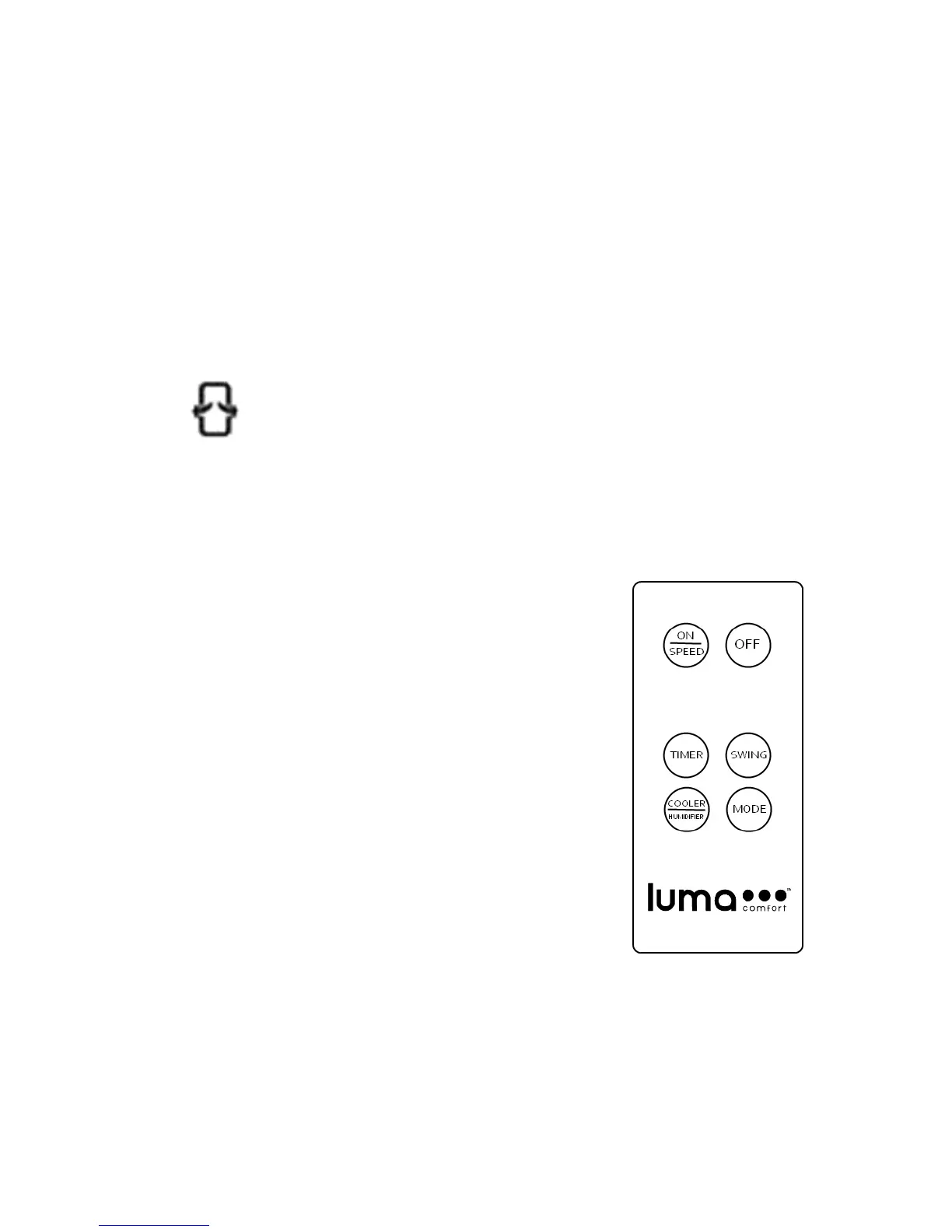
ON/SPEED = Power ON and adjusts speed
OFF = Power OFF
TIMER = Timer function of up to 7.5 hours
SWING = Oscillating air louvers
COOLER/HUMIDIFIER = Controls cooling/humidification function
MODE = Adjusts the airflow mode


 To Next Page