Need help?
Do you have a question about the LumenRadio CRMX Stardust and is the answer not in the manual?
Explanation of wireless DMX point-to-point and point-to-multipoint setups.
LumenRadio's patented adaptive frequency hopping technology for reliability.
New feature allowing more universes in the same frequency space.
Discusses compatibility with CRMX, W-DMX G3, and W-DMX G4S protocols.
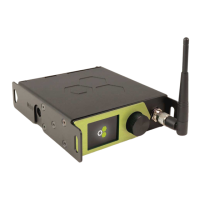
Identifies front and back panel components and ports of the Stardust device.
Details available power sources: AC, DC, and Power-over-Ethernet.
Specifies thread sizes for mounting hardware and usage guidelines.
Instructions for attaching a safety wire for elevated installations.
Information on how to update the device firmware.
Step-by-step guide for updating the firmware via USB.
Overview of the device's front panel interface and main menu options.
Details operations like linking, mapping, and IP settings via the front panel.
Explains how to interpret the status of the eight outputs on the screen.
Describes various icons displayed on the menu screen for status indication.
Lists and explains common error codes displayed on the front panel.
Instructions on how to access and use the device's web interface.
When linking, all available receivers within range will be linked to the output.
When unlinking, receivers linked to this output will be unlinked.
Explains how to connect outputs to Ethernet universes or disconnect them.
Details on using Streaming ACN (sACN) for DMX over IP.
Information on using the ArtNet protocol for DMX over IP.
Explains how data sources are merged based on priority or HTP policy.
Steps to configure a static IP address for the device.
How the device obtains IP settings automatically via DHCP.
Overview of WiFi modes: Access Point and Client mode.
How to set up the device as a WiFi access point.
How to connect the device to an existing WiFi network.
How to use RDM over ArtNet for device discovery and monitoring.
Using RDM to check the signal quality of downstream receivers.
Information about the built-in battery backup feature.
How to properly turn off the device when running on battery.
Details on how the battery charges and charging time.
Compliance with European Union's RED Directive requirements.
Compliance with United Kingdom's statutory requirements.
FCC identifiers and information for users regarding modifications.
Warnings about user modifications and approved antennas.
RF exposure limits and installation requirements for safe operation.
LumenRadio's declaration of compliance with FCC Part 15 rules.
Guidance on minimizing interference and user responsibilities.
Compliance with Canadian radio noise emission regulations.
Accessory for mounting the Stardust unit in a 19-inch rack.
Accessory for mounting the Stardust unit on a wall.
Accessory for mounting a V-mount battery.
 General
| Brand | LumenRadio |
|---|---|
| Model | CRMX Stardust |
| Category | Lighting Equipment |
| Language | English |

 To Next Page