63
14.3 Create multiple remote controls
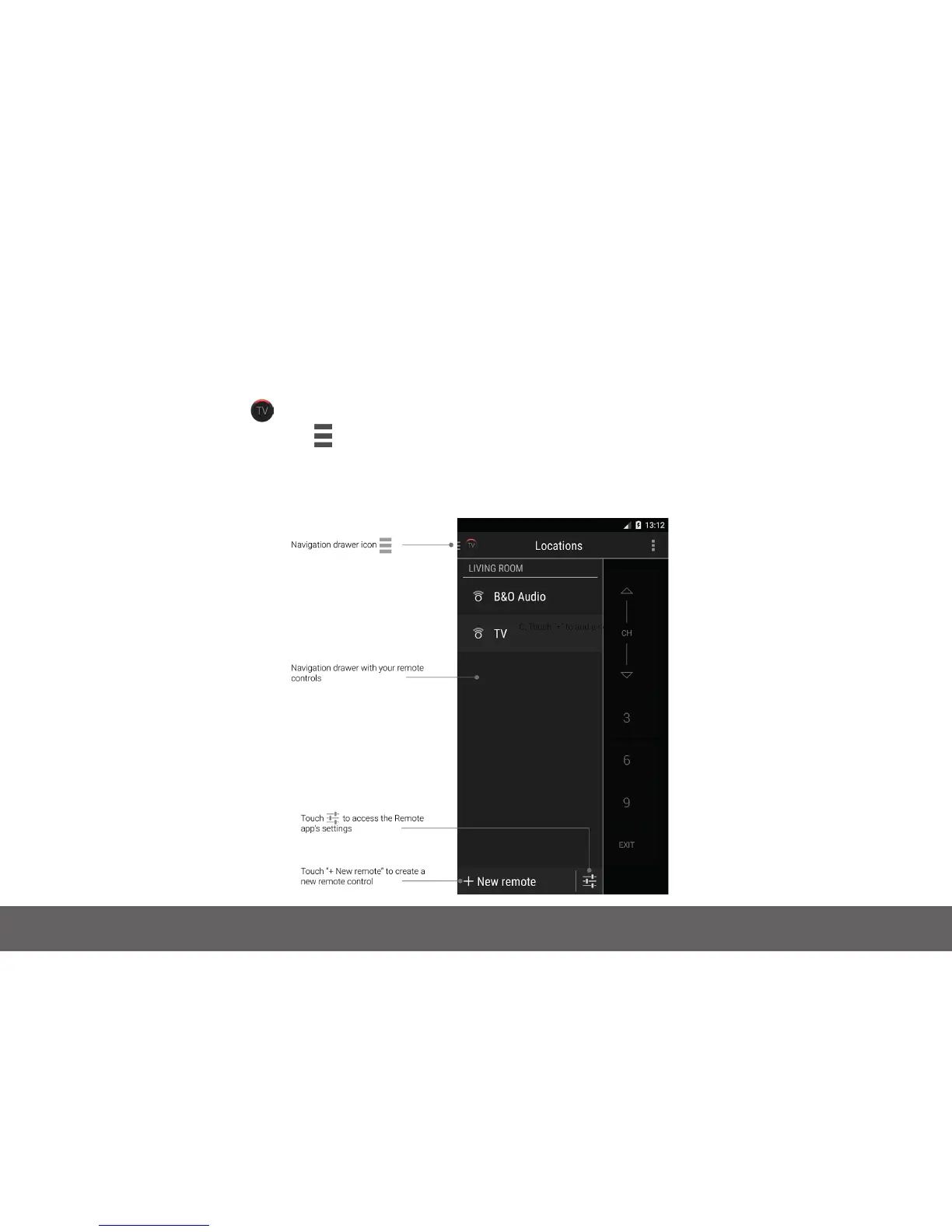
To create a new remote control:
• Open the Remote app
• Touch the navigation drawer icon in the top left-hand corner to open the side menu
• Touch “+New remote” in the bottom left corner
• Select a remote template
• Create your new remote as described in “Create your rst remote control”


 To Next Page