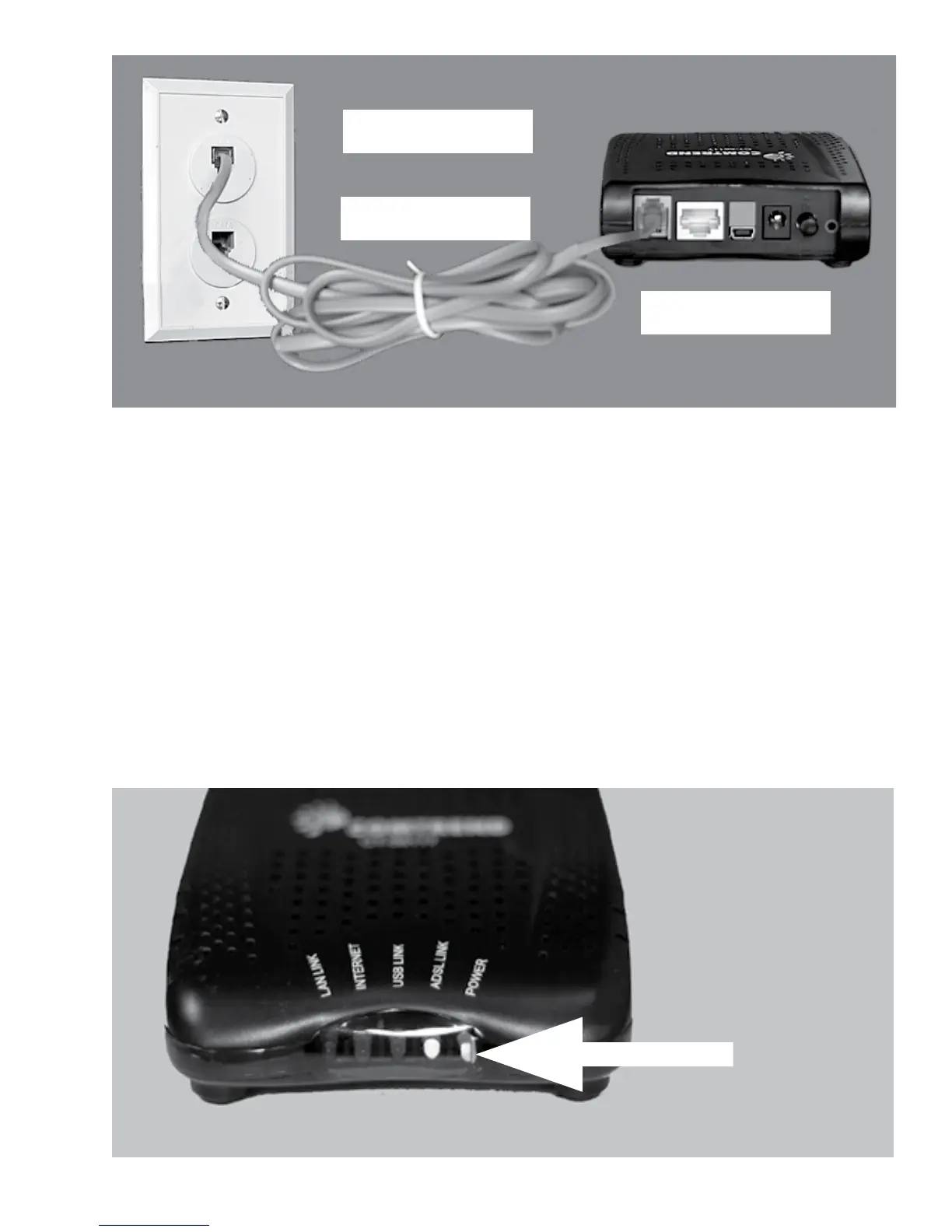
Plug the power supply into the DSL Modem and into a working
electrical outlet. To avoid possible damage to the DSL Modem, use a
surge protector between the DSL Modem and outlet. Do not connect
the DSL Phone cord to the surge protector as it may cancel out the
DSL signal.
The DSL light will blink a few mes to indicate it is connecng or
“training up”. This process can take a few moments. The DSL light
must go solid (as shown below) to indicate a successful DSL connec-
on through your line.
A solid DSL light
indicates
a successful
DSL connecon
4
DSL Modem
Phone Cord
Wall Jack



 To Next Page