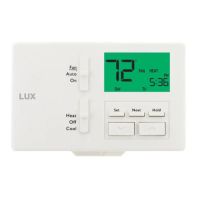
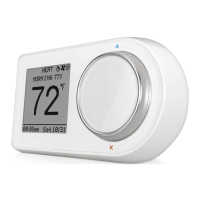
Step 3: Determine how your LUX/GEO
will be powered
LUX/GEO can be powered by one of four methods (in order of best performance):
Method #1 & #2 (Preferred): 24V System Power “C-wire” (this powers GEO from your
heating/cooling equipment and provides the best performance when using WiFi)
Method #3: USB micro-port on GEO (wall adapter & cord not included - use 1A wall adapter)
Method #4: Battery Powered* (2-AA Lithium batteries included)
NO
YES
NO
YES
NO
YES
USE Method #1:
“C-Wire”
(refer to Step 4.1)
USE Method #2:
LUX Power Bridge
(refer to Step 4.2)
USE Method #3:
Micro-USB
(see notes on
following page)
USE Method #4:
2-Lithium Batteries
(see notes on
following page)
Do you
have home
automation
devices like
Amazon
Alexa
®
In your
wiring photo
from Step 2,
do you have
a “G” wire
In your
wiring photo
from Step 2,
do you have
a “C” wire
Step 2: Switch power o and take photo of existing wiring
TAKE
PHOTO OF
CURRENT
WIRING
IMPORTANT: Turn o the power at circuit
breaker to both your heating & cooling
systems before performing any wiring.


 To Next Page