
 Need help?
Do you have a question about the Lykketronic Flex Counter Standard and is the answer not in the manual?
Explains how the Flex Counter calculates speed using wheel circumference and sensor pulses.
Details the use of the Flex Counter for measuring area, requiring wheel circumference and working width.
Describes using the Flex Counter to count units based on a set counting factor and pulses.
Explains monitoring revolutions per minute and a built-in timer for working hours.
Details counting accumulated time, functioning as a stopwatch by short-circuiting the sensor.
Describes monitoring bale wrapping rotations and providing alarms when pre-set numbers are reached.
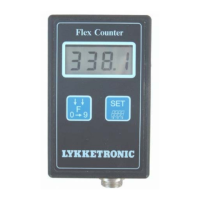
Provides a visual overview of the Flex Counter's display, buttons (F-key, SET-key), and connector.
Explains the procedure for switching between different functions using the F and SET keys.
Details which input/output factors can be changed or reset and their limits.
Explains how to manually and automatically set the Flex Counter to stop-mode to save battery.
Details the required power supply (AA batteries) and troubleshooting for low battery issues.
Explains how input and output factors are stored, including during battery changes.
 General
| Brand | Lykketronic |
|---|---|
| Model | Flex Counter Standard |
| Category | Measuring Instruments |
| Language | English |

 To Next Page