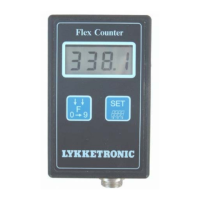
Flex Counter Standard
Program version: Flexcounter 1.6
Flex Counter Standard
Manual Version: UK 1.1
Page 6
The alarm is being activated:
• 1 rotation before the pre-set required number of rotations is reached. When the next pulse signal
is received the alarm stops, but are activated again, if one or more pulses are received. The
audio alarm automatically stops after one minute.
The values of the bale counters are increased by one when:
• The pre-set required number of rotations is reached.
The wrap counter is reset :
•
When the required number of rotations has been reached, and the computer does not receive any
more pulse signals within a 10 seconds period.
•
The
SET
-key is pressed while the display shows the wrap number (PULS function).
2. Operation guide
2.1 Overview
Dis
la
In several functional modes
the bottom ”bar” will flash
during work (when the
monitor receives sensor
input)
SET-key
•
Start-up
• For activating the
change function of
the value marked/
highlighted
F-key (or C-key)
•
Start-up
•
Change of active
parameter displayed
•
Change of the value
marked/highlighted
•
Turning off the Flex
Counter – Press the key
for approx. 4 seconds
(”stop” is displayed in
the monitor
Connector
• Input for sensor
signal


 To Next Page
 Loading...