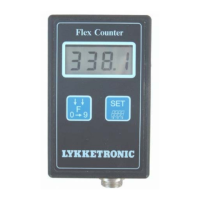
Flex Counter Standard
Program version: Flexcounter 1.6
Flex Counter Standard
Manual Version: UK 1.1
Page 8
If values (e.g. wheel circumference or working width) are to be changed, the function containing the
specific value must first be entered - please refer to the paragraph above “Change of active function”.
Following the procedure described below changes values:
Example: Changing the wheel circumference from 87,25 cm to 315,8 cm
Key Display Explanation
F
0 9
o
87.25
The wheel circumference is found on the display - first the symbol is displayed,
then the current wheel circumference value.
SET
87,25 Press the key for app. 2 sec. - the comma starts flashing, indicating that its
position may be changed.
F
0 9
872,5 Push repeatedly until the position is correct.
SET
872,5 The first digit starts flashing, indicating that its value may changed.
F
0 9
372,5 Push repeatedly until the digit value is correct.
SET
372,5 The second digit starts flashing.
F
0 9
312,5 Push repeatedly until the digit value is correct.
SET
312,5 The third digit starts flashing.
F
0 9
315,5 Push repeatedly until the digit value is correct.
SET
315,5 The fourth digit starts flashing.
F
0 9
315,8 Push repeatedly until the digit value is correct.
SET
315,8 Press the key for app. 2 sec., leaving programming.
Not all factors contain a comma, just as it is not always possible to change its position. In those cases,
please disregard the instructions on changing the position of the comma!
Example: Resetting the Area counter
Key Display Explanation
F
0 9
HA.1
7.192
The area counter I is found on the display - first the symbol is displayed, then
the current accumulated area.
SET
7,19 Press the key for app. 2 sec. - the comma starts flashing, indicating that its
position may be changed.
F
0 9
0 Press until the area counter is reset.
SET
0 Press the key for app. 2 sec., leaving programming.
Furthermore, programming-mode is automatically exited, if the Flex Counter does not receive signals
from the keys within a 10 second interval.
All factors will retain their value when changing function. If a value for the wheel
circumference has previously been entered, e.g. under speed indication, this procedure will
not have to be repeated.


 To Next Page
 Loading...