Need help?
Do you have a question about the Lyngdorf TDAI-3400 and is the answer not in the manual?
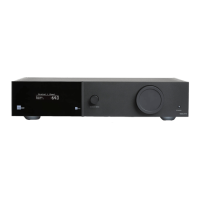
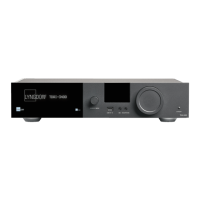
Overview of the display, source dial, inputs, outputs, and volume control.
Detailed listing of all analog, digital, and other connectors on the rear panel.
Explanation of each button's function on the remote control.
Overview of the mobile app interface for controlling the TDAI-3400.
Ways to connect to the TDAI-3400 via remote app or web browser.
Step-by-step guide for connecting and powering on the TDAI-3400.
Selecting and configuring main speakers connected to the TDAI-3400.
Configuring subwoofers and line outputs for low-frequency handling.
Analyzes and corrects room effects on speaker sound for optimal performance.
Instructions for preparing and positioning the RoomPerfect™ calibration microphone.
Setting optimal volume levels for accurate system calibration.
Measuring the acoustics at the primary listening position.
Measuring acoustics at various points for comprehensive room analysis.
System automatically calculates filters after room measurements are complete.
Retrieving error logs and troubleshooting RoomPerfect™ measurement problems.
Explanation of common error messages like 'No microphone connected' and 'Fault - No signal'.
Troubleshooting LAN/control system issues and compatibility detection.
 General
| Type | Integrated Amplifier |
|---|---|
| Signal-to-Noise Ratio | > 100 dB |
| Damping Factor | > 200 |
| Frequency Response | 20 Hz - 20 kHz |
| Input Impedance | 10k ohms |
| Analog Inputs | 3 x RCA |
| Digital Inputs | 2 x Optical, 2 x Coaxial, 1 x USB |
| Analog Outputs | 1 x RCA |
| Other Outputs | Pre-out |
| Streaming | Yes |
| Room Correction | Yes |
| Supported Audio Formats | MP3, WAV, AAC, AIFF, FLAC, ALAC, Ogg Vorbis |
| Power Output (8 ohms) | 2 x 200 W RMS @ 8 Ohm |

 To Next Page