Page 11
d. Open the door or window to which the door/window contact detector is fitted, the LED on the
door/window contact should light for two seconds. The Control Unit will give a two-tone beep and
the display will change to indicate the door/window contact detector zone number. Close the door.
e. If a wired detector is fitted the display will change to indicate plus the zone number, the
“ indicating a wire detector. Close the door.
f. If a two wired detector is fitted the display will change to indicate plus the zone number,
the indicating a two wired detector.
g. Walk in front of each of the PIR detectors. The LED inside the PIR will light (visible through the
lens at the base of the detector) to indicate the movement has been detected. The Control Unit will
give a beep and the display will change to indicate the PIR zone number. Please read the notes below
about “Sleep” condition.
h. Press on the Control Unit to cancel the test mode. Note that the Control Unit will
automatically revert to “Standby” mode one minute after the last detector was triggered.
Should this happen before you have completed testing, simple go back to Step “c”.
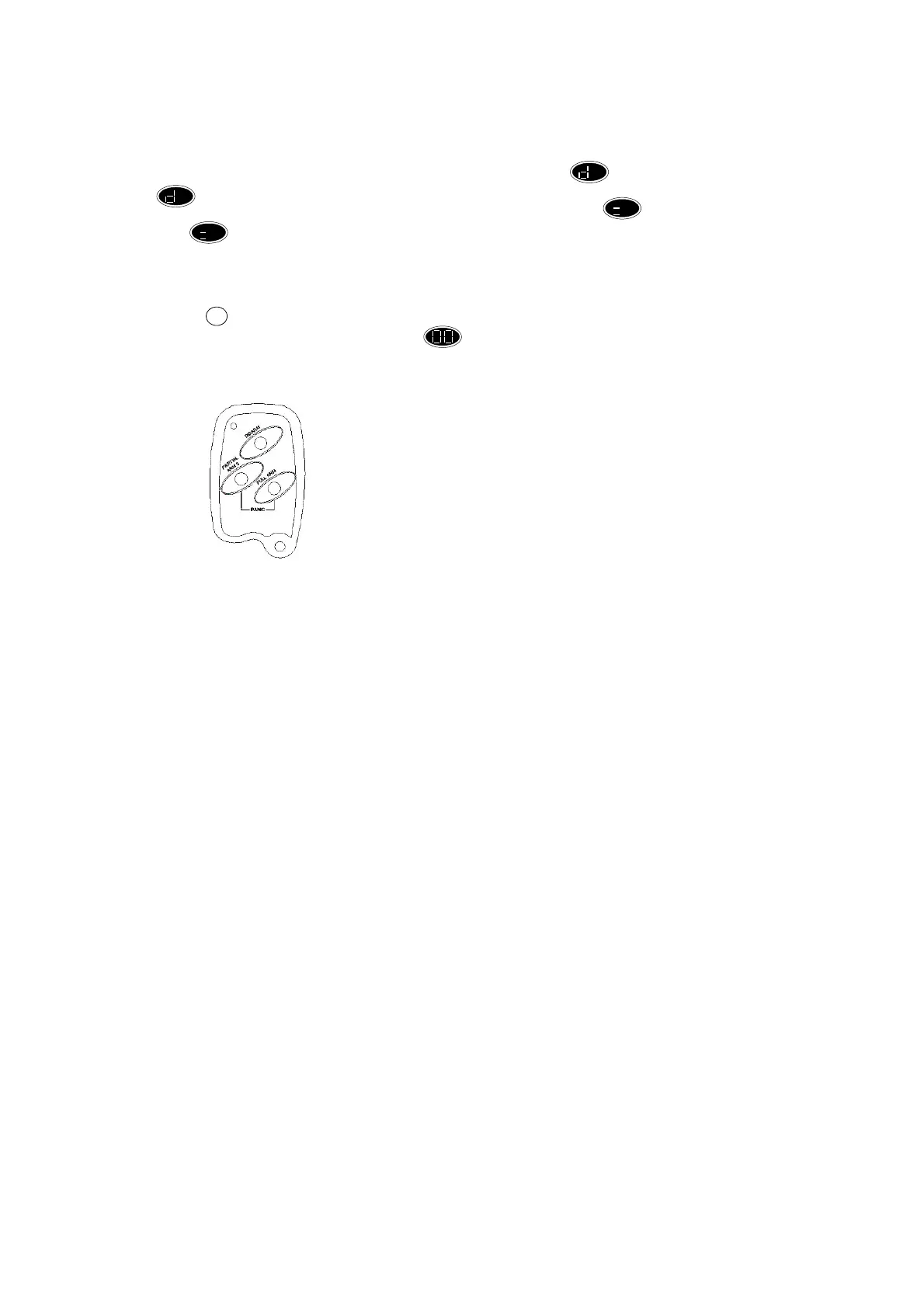
3.9 Testing your Wireless Remote Control Key
Remote Control Function Key:
Full Arm -- Press to arm the system
Partial Arm 3 -- Press to partial arm the system with partial arm 3.
Disarm -- Press to disarm the system
Full Arm + Partial Arm 3 -- Panic
In order to test the correct operation of the remote control, proceed as follows:
Go outside the house to the location you will normally want to use to arm or disarm the system. Press
the full button on remote control and note if the system is armed. Disarm the system. If the test is
passed with no problem the remote control is OK.
3.10 Movement Detector/PIR – Final Setup
IMPORTANT – To extend the battery life, wireless PIR detectors are designed to detect once only
before entering a “Sleep” condition for two minutes during which the unit will not trigger. Any
movement seen by the PIR during this period causes “Sleep” condition to be extended by a further two
minutes. Therefore, a cordless PIR which is constantly sensing movement, such as a person walking
around a room, may appear to be non-functional; you will find that the PIR will detect normally again
following a two minute period with no movement present. THIS “SLEEP” TIME DOES NOT APPLY
TO WIRED PIR DETECTORS.
The wireless PIR detector contains one jumper, which activates/deactivates the LED. If required that
the LED will be off when the detector is triggered during arm, pull this jumper off, otherwise, leave the
jumper on. If you choose to leave the LED on, bear in mind that this will reduce battery life.
If you install optional wire or two-wired PIR detectors, these are factory set to operate satisfactory in
nearly all operating environments and should not required any adjustment when sited as recommended.
When you have selected the required settings, replace the PIR cover and fixing screws.
RESET


 To Next Page
 Loading...