Page 21
children. This code can only arm and disarm the system.
4.3 Arming the System
Before attempting to arm the system, check that all doors and windows (particularly those fitted with
a door/window contact detector) are securely closed and that all PIR detectors have an unobstructed
view of the areas they cover. If a zone is triggered when attempting to arm the system, the panel will
signal an error beep and indicate the zone. The system will not arm.
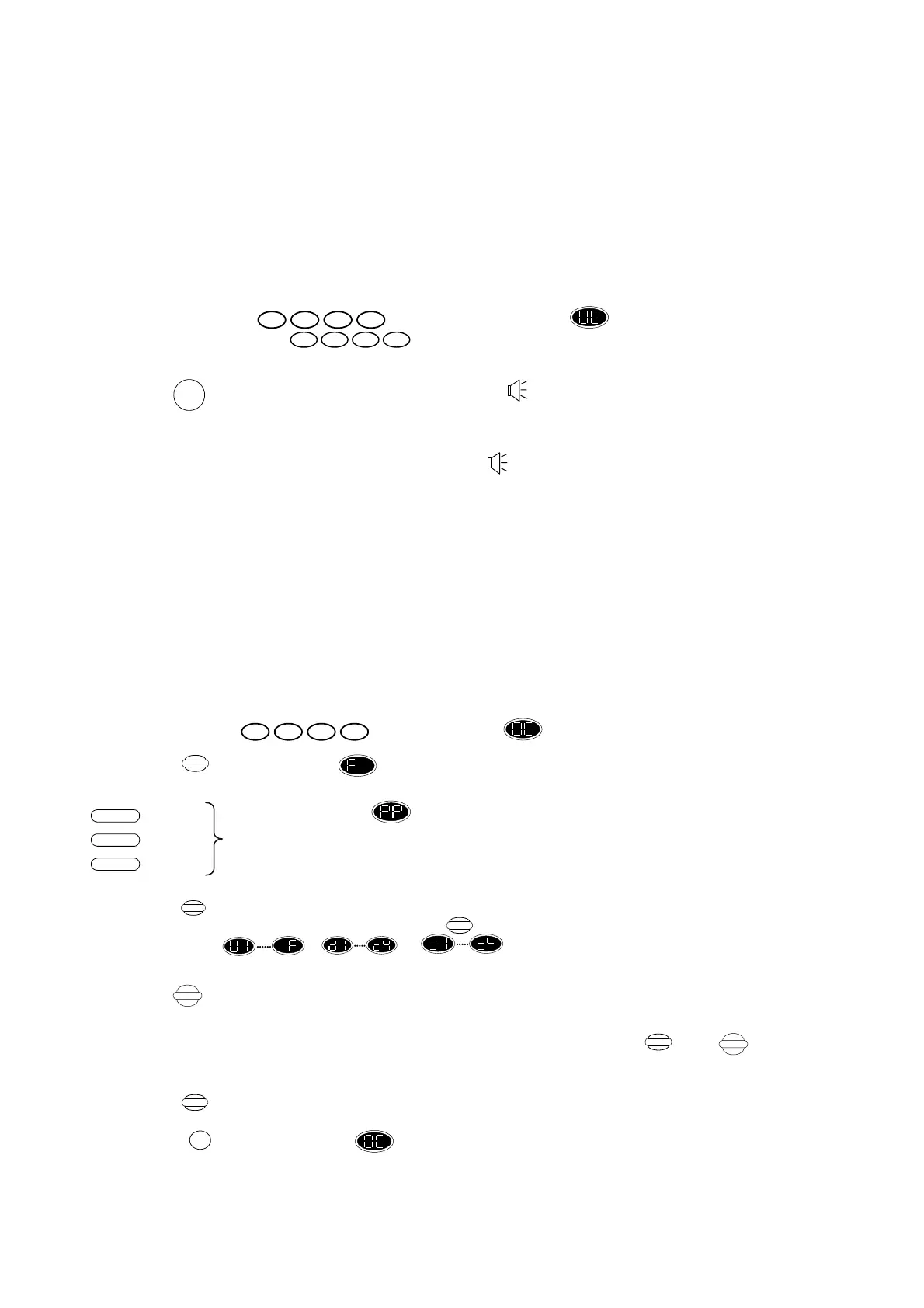
Press the following buttons:
Press User code or display changes to flashing.
Secondary Code
Press ,Exit control commences and the control unit beeps slowly – this is factory set at 30
seconds. To reduce the exit time to 10 seconds, press Full once more. If you want quick
arm (without exit time), press twice more.
During the entry/exit time, the system will come up “ beep” sound to count down. The beeping
gets faster as a final warning to leave the premises. Once armed, the display on the control unit will
go blank. N.B. You are only allowed to pass the Entry/Exit detectors and the walk-through detectors
during the exit time. Immediately after arming, the external strobe will activate for 5 seconds, this is
to confirm that the system has set after you have left the premises.
4.4 Programming the Zone Omit Memory
The Zone Omit feature is used where your wish to arm the system but leave certain detectors inactive
(for example, for night time settings). An omitted detector will still detect and trigger as normal, but
it is not able to generate an alarm condition.
This system allows you to program up to 3 different omit zones (part zones)
The first step is to program the control unit with the zones which you wish to omit as follows. Enter:
Press User code ,display changes to flashing.
Press display changes to .
Display changes to this allows to choose which zone you wish to program.
You can program three different zones omit, for three part arm situations you want.
For example – only outdoor, only indoor, only upstairs etc. By pressing one of these
buttons, you choose which zone omit you wish to program now.
Press After selecting the zone omit you wish to program, you need to program the zone you
want to omit. Keep pressing the button until the zone you wish to omit
( , , ) is shown on the display. If the zone is
already omitted, the display will flash.
Press ,once to omit the zone (zone display flashing),and a second time to make the zone
activate again (zone display steady).
To omit further zones or to un-omit previously omitted zones, press and as
above.
Press ,to retain omitted zones in memory.
Or
Press ,to return to display and cancel all recent changes.
N.B. You cannot omit PA or any zone which does not have detector assigned to it.
1432
6 85 7
FULL
ARM
1432
Program
Omit
Store
Display
Partial Arm 1
Partial Arm 3
Partial Arm 2
Program
Omit
Omit
Display
Store
RESET
Display


 To Next Page
 Loading...