Page 26
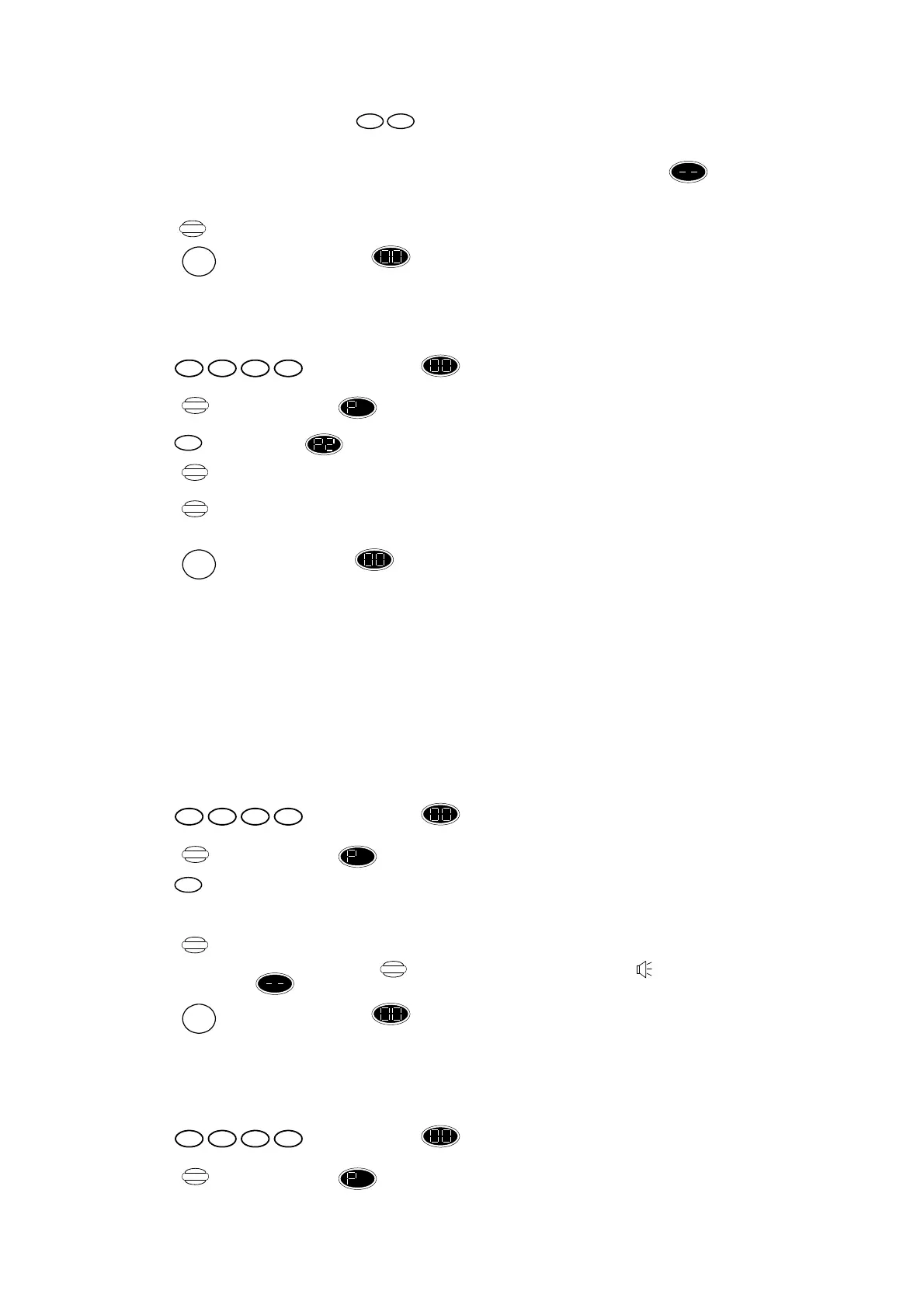
Enter new Siren Duration Time,
New siren duration in minutes – only values between 01 to 20 are allowed. The time
entered will be displayed. (N.B. You must always enter two digits). If an invalid time is
entered, the control unit gives an error beep and the display reverts to for you to
enter another value.
Press ,to confirm the new siren duration.
Or
Press ,to return display shows “ Standby” mode without retaining recent settings.
5.4 Deleting Cordless Detector
To delete cordless detector, enter:
Press ,display changes to flashing.
Press ,display changes to .
Press ,display shows .
Press , until the required zone is displayed.
Press ,this confirms the deletion – unit gives OK beep to confirm. You can notice the zone
flashing when occupied by a detector, or still when empty.
Or
Press ,to return display shows “Standby” mode and cancel all recent changes.
To reprogram cordless detectors back into your alarm system, follow the procedure in section 3.4.
5.5 Deleting Wired Detectors
Wired detectors cannot be deleted by using the buttons on the control unit. To deactivate them, the
wires must be disconnected from the unit itself. To reactivate wired detectors, reconnect the wires in
the control unit.
5.6 Recalling Alarm Events
The control unit stores information on the last 10 alarm events. This may be recalled at any time. To
recall alarm events, enter:
Press ,display changes to flashing.
Press ,display changes to .
Press , then the cause (first zone triggered) of the most recent alarm – for an explanation of the
display codes, see section 4.6.
Press ,this causes the indication to change to the next most recent alarm events. When the last
entry is displayed, press again results in an error beep and display
shows .
Press ,to return display shows “Standby” mode and cancel all recent changes.
5.7 Testing the Siren/Strobe
You can test the operation of the siren/strobe unit. Proceed as follows:
a) To test the siren, press keys as follows:
Press ,display changes to flashing.
Press ,display changes to .
1432
Program
nn
Store
RESET
2
Display
Store
RESET
1432
Program
0
Display
Display
RESET
1432
Program


 To Next Page
 Loading...