Page 27
Press ,display shows and siren sound (internal and external).
Press ,Siren stop sounding (or wait for 30 seconds for automatic stop).
b) To test the strobe, press keys as follows:
Press ,display changes to flashing.
Press ,display changes to .
Press ,display shows and strobe flashes.
Press ,Strobe stop flashing (or wait for 30 seconds for automatic stop).
5.8 Resetting the System
1. On very rare occasions you may wish to completely clear the Control Unit to return the unit to its
“as new” condition.
To do this, proceed as follows:
a) Turn off mains power to the control unit, remove the retaining screw and open the front cover –
this will cause the internal tamper alarm to sound as normal with the display showing .
b) If you know the current pin code it can be entered to silence the tamper alarm, but leaving ‘ ’
on the display. If you do not know the codes then proceed with step c) leaving the tamper
sounding.
c) Disconnect the rechargeable battery.
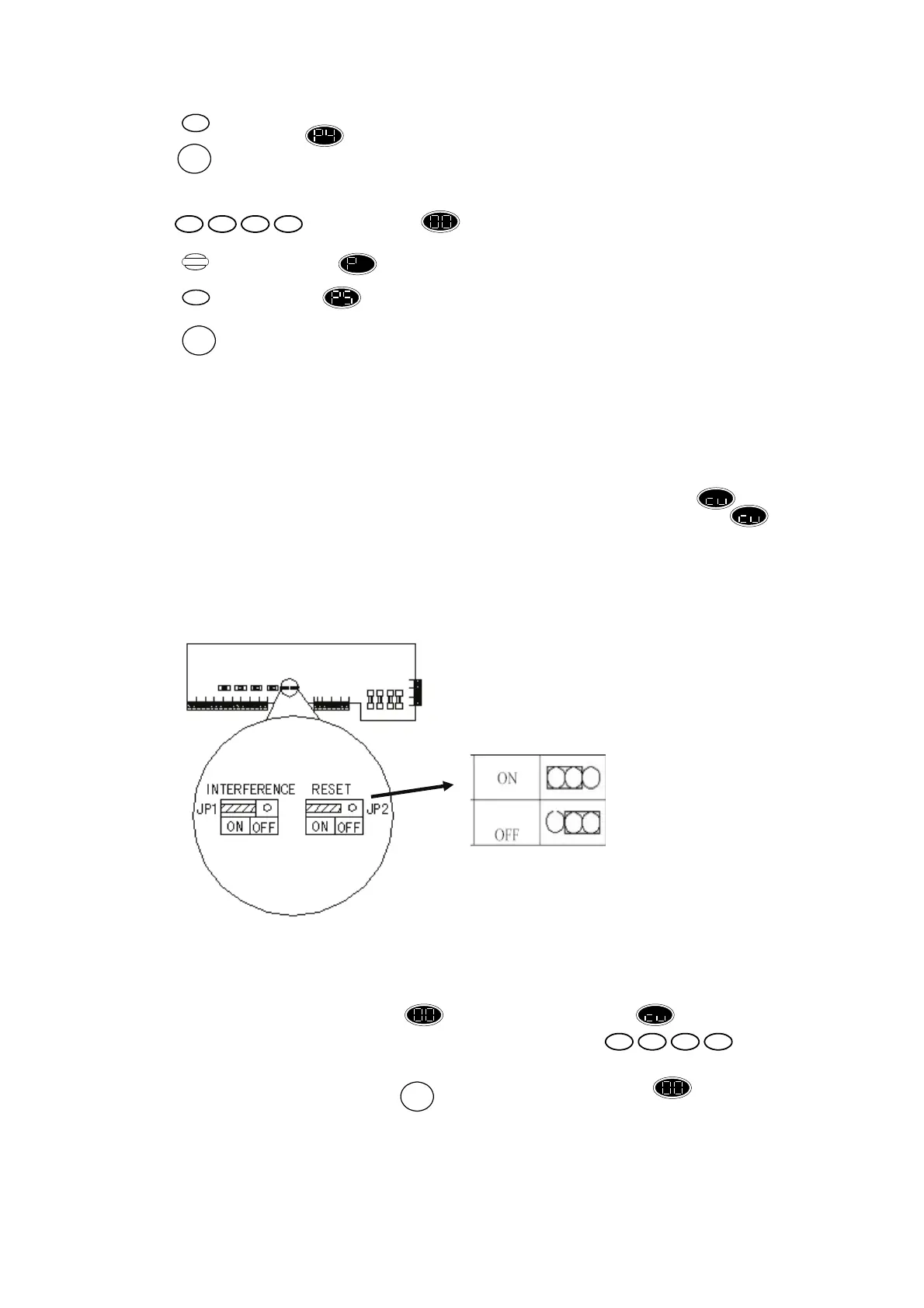
d) Move jumper Reset Jumper “JP2” from the right (marked as “OFF”) most two pins to the left
most two pins, the position marked as ‘on’. See diagram below:
e) Reconnect the rechargeable battery.
f) The display will momentarily display for five seconds followed by for control unit
tamper. (The tamper alarm will activate requiring the user pin code to be
entered to silence it.)
g) Return jumper JP2 to its original position on the right most two pins.
h) Replace front cover of panel and press , display now changes to indicate .
i) Turn on the mains power.
2. If you wish only to restore factory defaults without deleting detectors learned in the system refer
to section 6.10.
Reset the system
Normal status
(Factory Default)
4
RESET
1432
Program
RESET
5
RESET
1432


 To Next Page
 Loading...