Page 29
6.3 Setting Entry/Exit Zones
As mentioned earlier, zones and are factory set to be entry/exit zones. But, in
addition to these zones, you can program other zones also to be entry/exit zones. To do so, proceed as
follows:
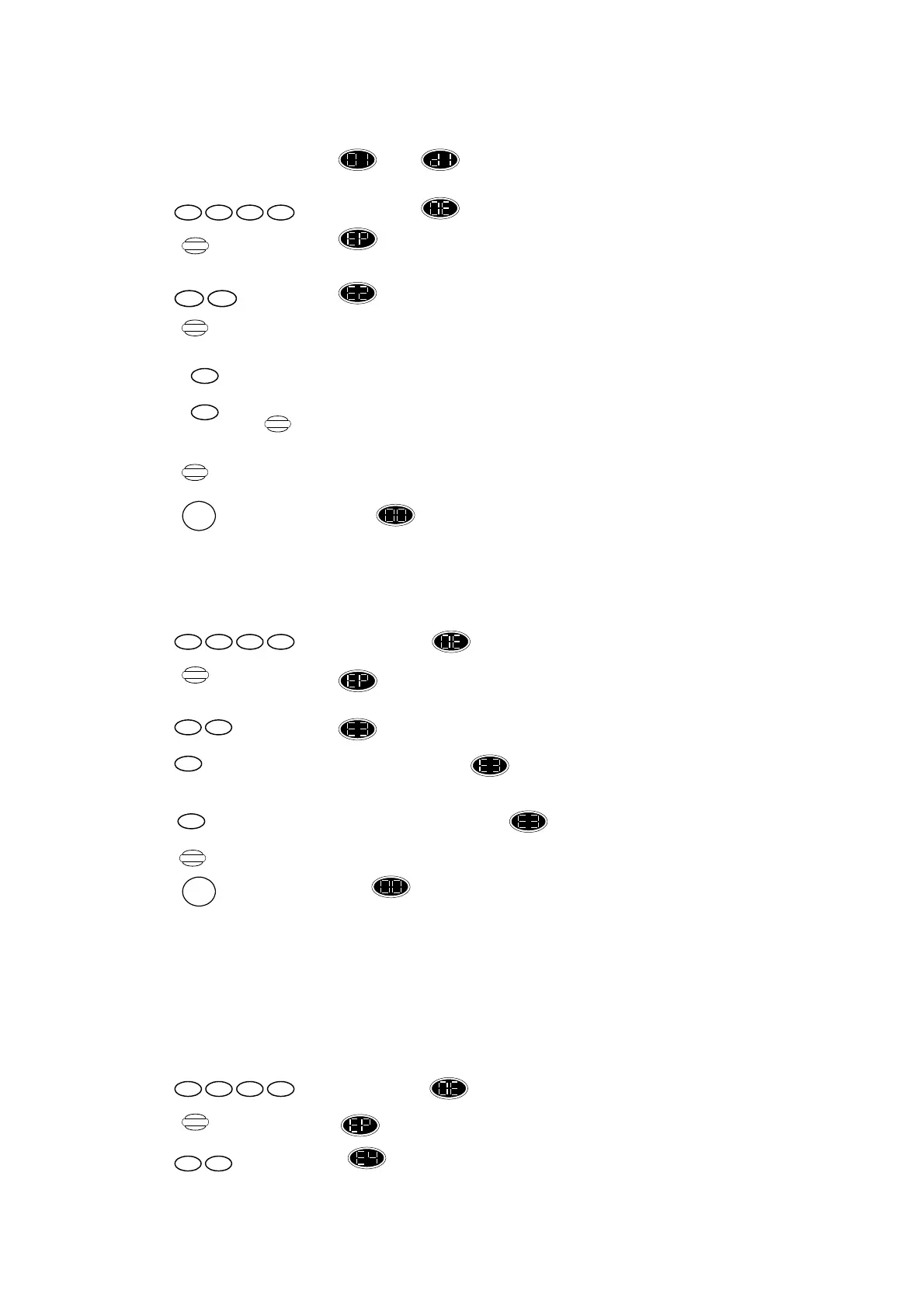
Press ,display changes to flashing.
Press ,display changes to .
Press ,display shows .
Press until the required zone is displayed.
Press ,to set entry/exit ON, display shows the zone number is flashing.
or
Press ,to set entry/exit OFF, display shows the zone number is steady.
Press again and proceed as above until all required entry/exit zones are
programmed.
Press ,to retain entry/exit setting.
Or
Press ,to return display shown “Standby” mode and without retaining recent entry/exit
settings.
6.4 Full Alarm for Tamper in Standby Mode
When the control unit is in standby mode and the tamper alarm is triggered, the system will sound
only the internal siren, this is the factory setting. If you wish the external siren also to be activated in
this event, proceed as follows:
Press ,display changes to flashing.
Press ,display changes to .
Press ,display shows .
Press , to set full alarm ON, display changes to flashing. When tamper in standby mode,
both internal and external siren will be activated.
or
Press ,to set full alarm OFF, display changes back to steady.
Press ,to retain this setting.
Or
Press ,to return display shown “Standby” mode and without retaining recent settings.
6.5 Remote disarm requires Entry Timer
The Control Unit can be disarmed by a remote control from long distance. However, it may seem to
you to be useful to be able to disarm the system from outside the premises. By setting this function,
the control unit will “make sure” you entered the premises through the usual zone before it will allow
you to disarm the control unit.
Remember that the remote control functions are activated without confirmation of personal pincode.
To program this function proceed as follows:
Press ,display changes to flashing.
Press ,display changes to .
Press ,display shows .
Program
1 11 1
Display
29
1
Display
0
Store
RESET
Program
1 11 1
39
1
0
Store
RESET
Program
1 11 1
49


 To Next Page
 Loading...