Page 31
6.8 Enable/disable supervisory detection
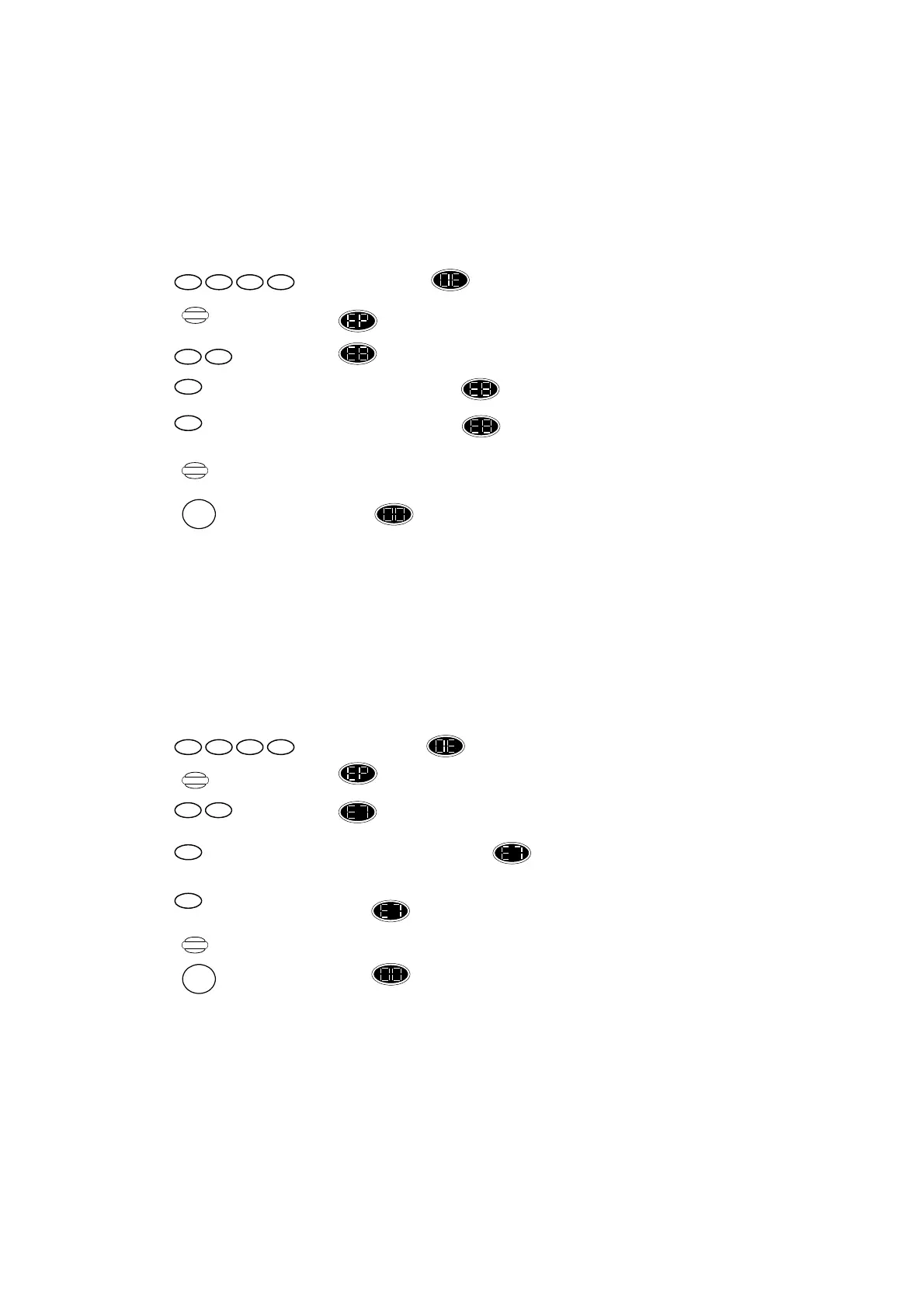
When this function is enabled (factory default OFF), a supervisory signal will automatically send
every one hour, allowing the Control Unit to monitor the status of a detector (For more information,
please read section 4, 4.9).
To do so, proceed as follows:
Press ,display changes to flashing.
Press ,display changes to .
Press ,display shows .
Press ,to set supervisory ON, display shows is flashing.
or
Press ,to set supervisory OFF, display shows is steady.
Press ,to retain this setting.
Or
Press ,to return display shown “Standby” mode and without retaining recent settings.
6.9 Engineer only reset
When this function is disabled, the user can activated the control unit regularly after an alarm event.
If this function is set, after disarming the system from an alarm condition, you must enter the
engineer code in order to proceed regularly.
Press ,display changes to flashing.
Press ,display changes to .
Press ,display shows .
Press ,to set this function ON, display changes to flashing. Only the engineer code can
retrieve the system to its normal operation.
or
Press ,display changes back to steady. User pincode is enough to reset the system from
alarm event.
Press ,to retain this setting.
Or
Press ,to return display shown “Standby” mode and without retaining recent settings.
Program
1 11 1
Program
1 11 1
Store
RESET
Store
RESET
1
1
0
0
89
79


 To Next Page
 Loading...