Package Contents
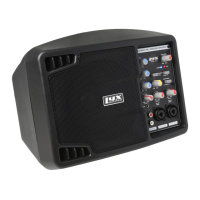
1. SPA-5.5 Small PA/Speaker Monitor
2. 100 V AC Power Cord
3. User Guide
Product Overview
Front
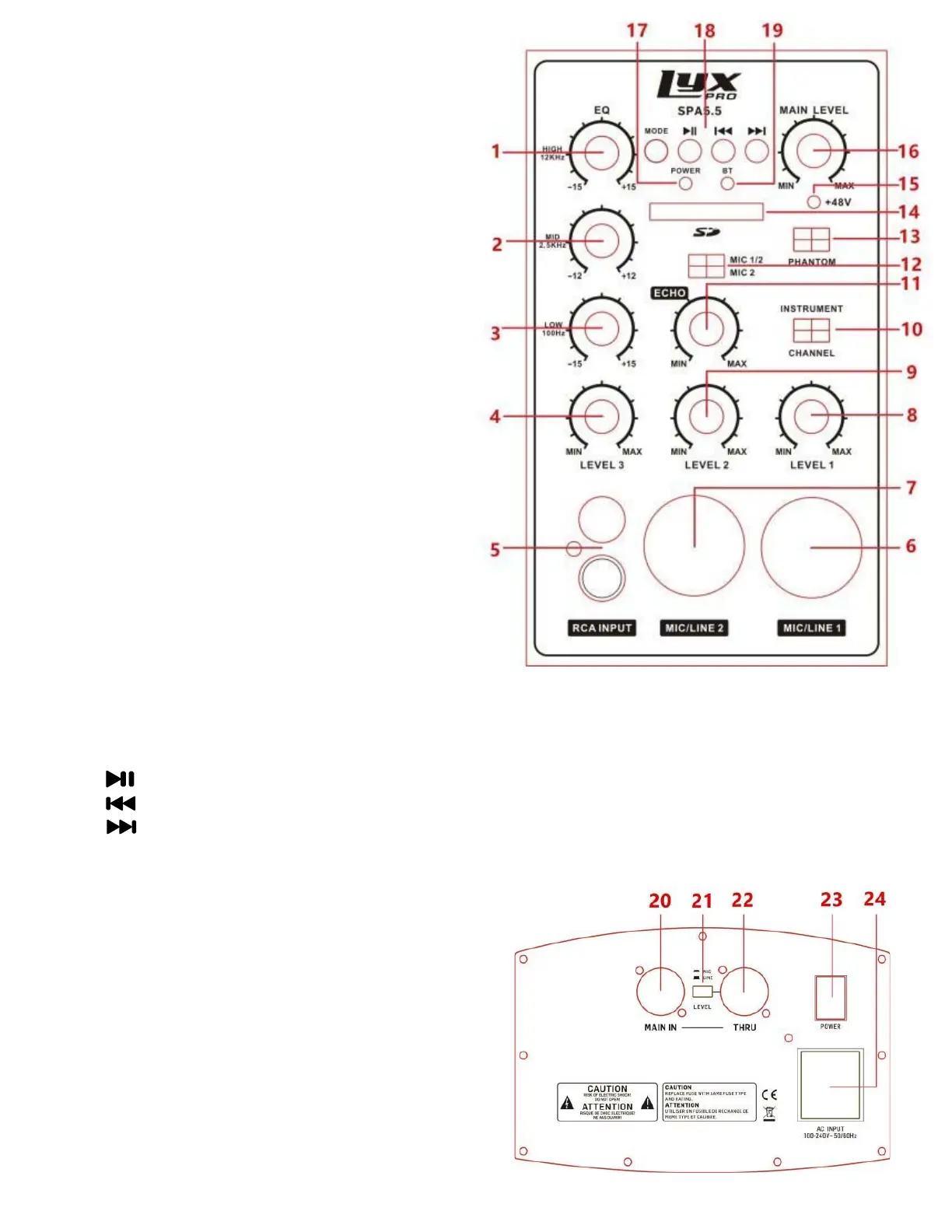
1-3. EQ: High/Mid/Low
4. RCA Volume Level 3: Volume of RCA input & Bluetooth®
5. RCA/Audio (Red and White) Input: Input for RCA
connector for audio devices (CD, tuner, or mixer)
6-7. Mic/Line 1&2 Input (CH1/CH2): Input for XLR balanced or
unbalanced connector; also accepts line level input
connector or 1/4″ connector
8. MIC/Line Volume 2: Controls volume of MIC/
Line input CH2
9. MIC/Line Volume 1: Controls volume of MIC/Line input CH1
10. CH1 Instrument Switch: Optimizes MIC/Line 1 signal
from instruments (unbalanced signal uses 1/4" connector)
11. Echo Control: Adjusts signal delay time
12. MIC 1/MIC 2 Switch: Controls the delay output of
CH1 and CH2
13. Phantom Power Switch: Powers condenser mics
14. SD™ Card Slot: For insertion of SD™ memory cards
15. Phantom Power Light: Indicates when phantom power is
activated
16. Main Volume: Controls volume of entire system
17. Power Light: Indicates that the device is on
18. SD™ Card/Bluetooth®/TWS Controls: Controls used to adjust the SD™ Card ,Bluetooth®, and TWS connection
a. MODE: To toggle play between Bluetooth® and SD™ Card by press the mode button, hold the button for three (3)
seconds to enter TWS when in bluetooth mode and you can hear a warning tone.
b. : To play and pause music
c. : To skip music backward
d. : To skip music forward
19. Bluetooth® (BT) Light: Indicates the current state of Bluetooth® and TWS connection
Back
20. MAIN IN Jack: Using a female XLR cable, connects
with signal from THRU connector
21. MIC/Line Level Switch: Adjusts signal level from THRU
connector
22. Through (THRU) Connecter: Connects to another
speaker or audio device by using a male XLR cable.
This connector combines signals from Main Volume
or EQ with that of MAIN IN.
23. Power Switch: Used to switch the unit on and off
24. Power Socket: Connect an AC power cord here to supply
power to the unit
3


 To Next Page
 Loading...