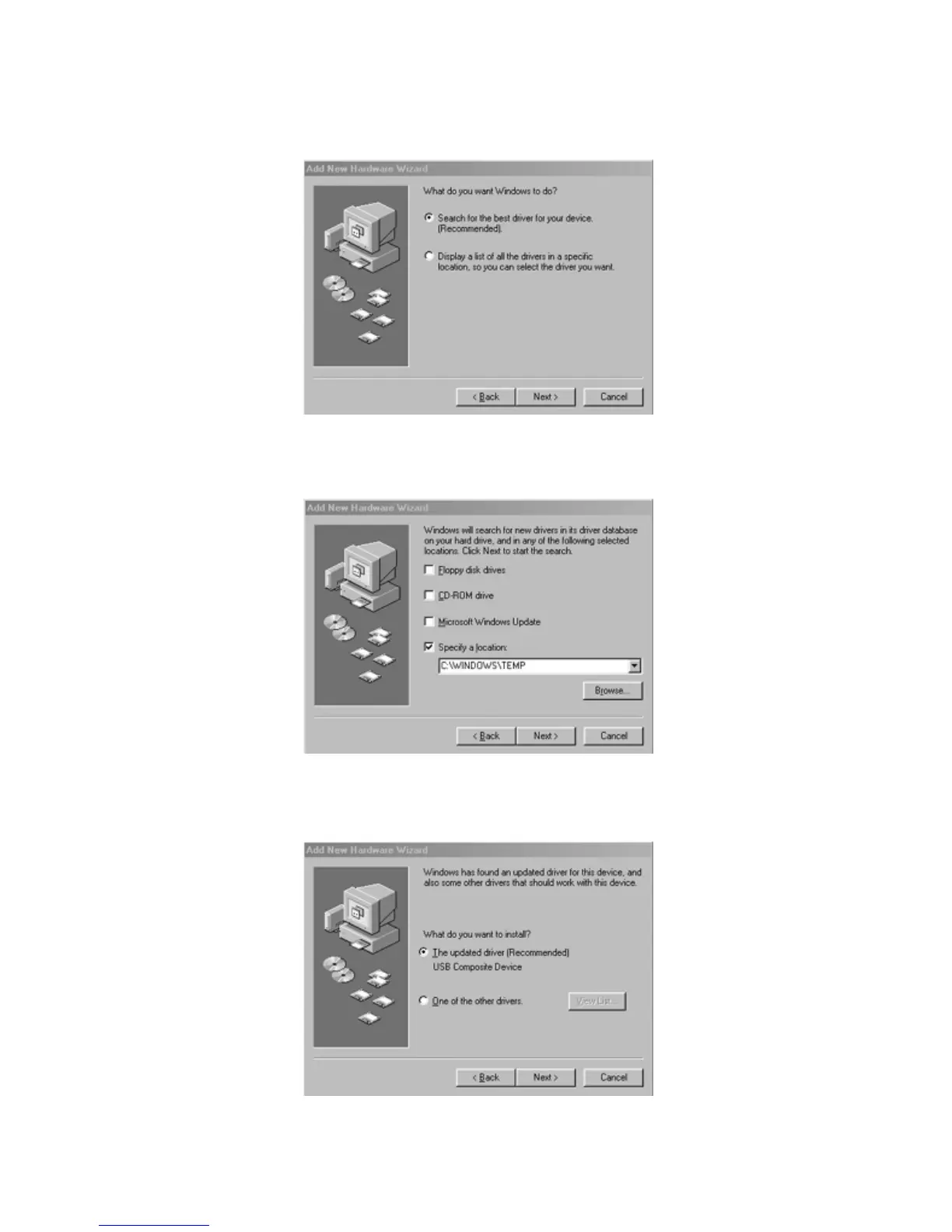
9. Make sure “Search for the best driver for your device
(Recommended)” is selected and click “Next to continue.”
10. None of the option-boxes in the next screen need to be selected. Click
“Next,” to continue.
11. Make sure that the box for “The updated driver (Recommended) USB
Composite Device” is selected and click “Next,” to continue.
14









 To Next Page