47LV
P. 9 / 18EM-9502-B Rev.3
...
...
...
...
...
...
...
...
...
...
...
...
...
...
...
...
...
...
...
...
...
...
...
...
...
...
...
...
...
...
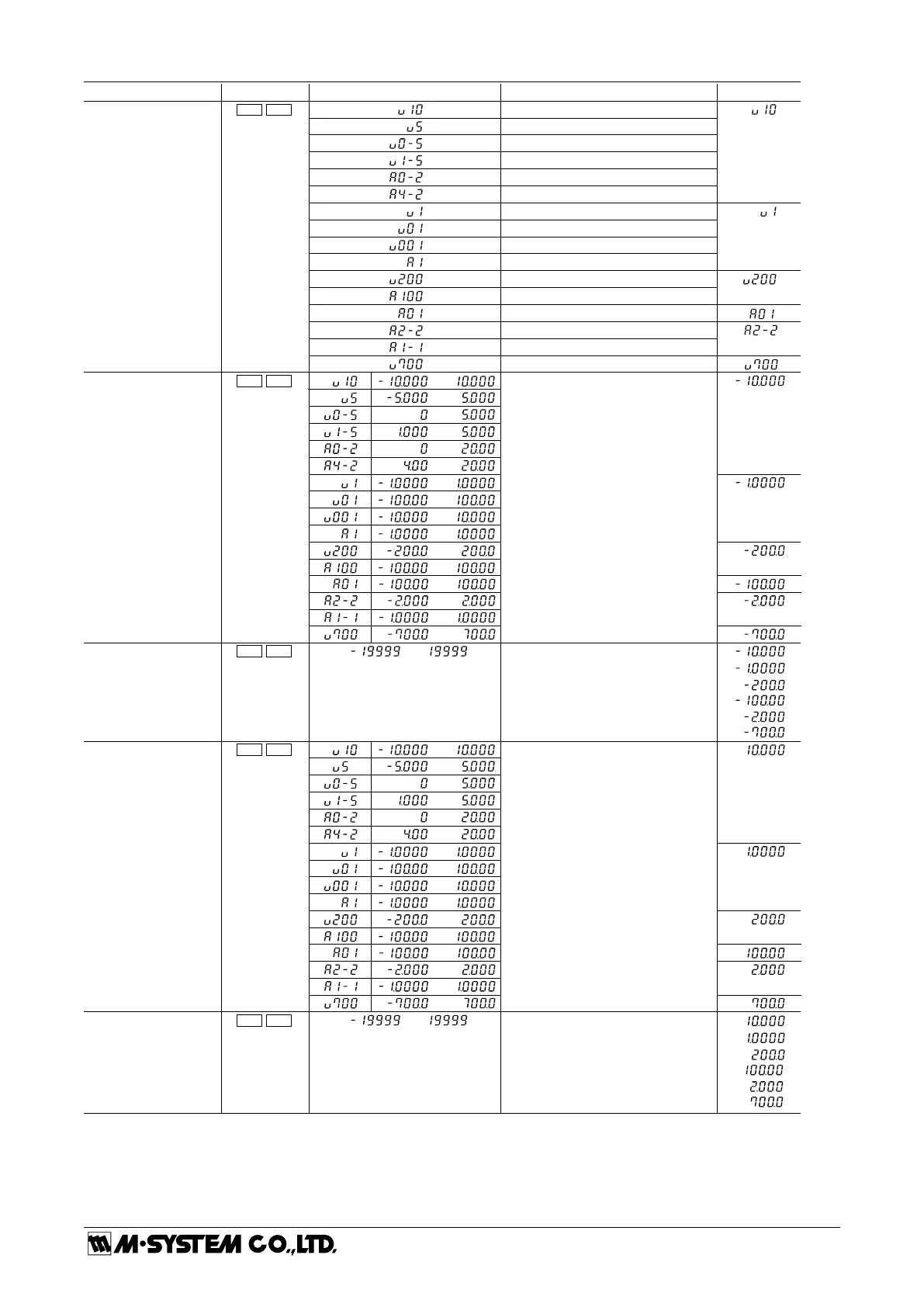
PARAMETER
Input type
Input scaling value A*
1
Display scaling value A*
2
Input scaling value B*
1
Display scaling value B*
2
Display value for Input Scaling Value B
Input value for Full-scale point:
Set to a specific value by using the
buttons, or by Teach Calibration
Display value for Input Scaling Value A
Input value for Zero point:
Set to a specific value by using the
buttons, or by Teach Calibration
Measuring range 4 to 20mA
Measuring range 0 to 20mA
Measuring range 1 to 5V
Measuring range 0 to 5V
Measuring range -5 to +5V
Measuring range -10 to +10V
Measuring range -100 to +100mA
Measuring range -100 to +100µA
Measuring range -200 to +200V
Measuring range -1 to +1mA
Measuring range -10 to +10mV
Measuring range -100 to +100mV
Measuring range -1 to +1V
INDICATOR
UNCTION DEFAULT VALUEDISPLAY
Zro Spn
Zro Tch
Zro D/P
Spn Tch
Spn D/P
Scaling setting: Go through the scaling setting in the order of ‘Input scaling value A’ --> ‘Display scaling value A’ --> ‘Input scaling
value B’ --> ‘Display scaling value B,’ so that the zero and the full-scale points are connected linearly as shown
in the figures below. Input scaling value A < Input scaling value B.
Do not set the same value for Display scaling value A and B.
Decimal point position: Decimal point position is specified independently from the scaling. When you set the display scaling, include
zeros for fractions (10000 to show 10.000).
Measuring range -2 to +2A
Measuring range -1 to +1A
Measuring range -700 to +700V
...
...
...
...



 To Next Page