EasyManua.ls Logo

M-tech MT-550 - User Manual

M-tech MT-550
64 pages
Print Icon
To Next Page IconTo Next Page
Loading...
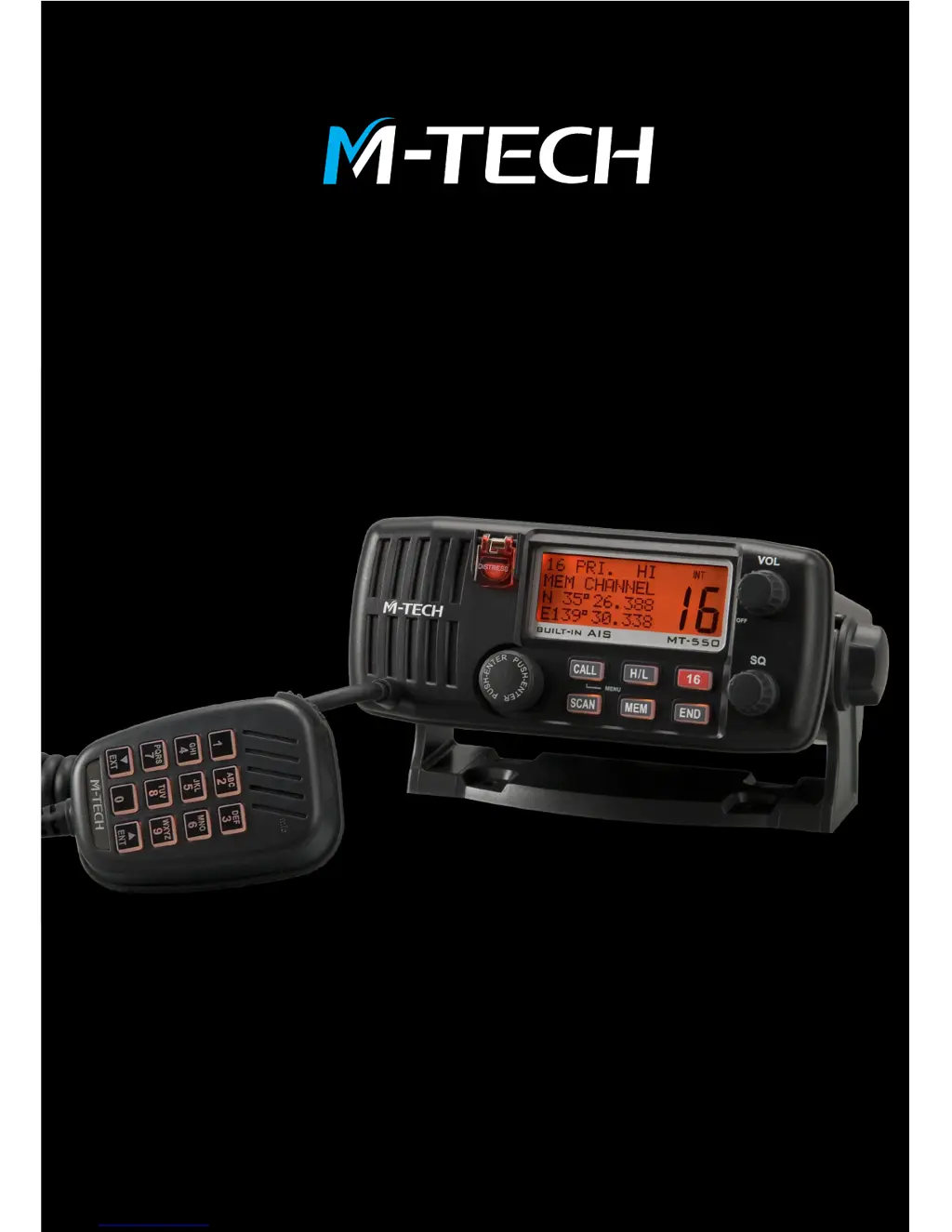
MT-550
DSC MARINE VHF
WITH BUILT-IN AIS RECEIVER
OWNER’S HANDBOOK

Table of Contents

Questions and Answers

  • A
    Amanda AndersonAug 1, 2025
    Why is there a buzzing sound from the speaker of my M-tech MT-550 Marine Equipment when the engine is running?
    • S
      Samantha JacksonAug 1, 2025
      If you're experiencing a buzzing sound from the speaker of your M-tech Marine Equipment when the engine is running, it's likely due to ignition or charging system noise. To resolve this, try rerouting the DC power cable, installing a noise filter on the alternator and DC power cable, or using resistive spark plug wires.
  • S
    smithfrankAug 7, 2025
    How to fix M-tech MT-550 Marine Equipment transceiver that won’t turn on?
    • K
      Karen RobertsAug 7, 2025
      If your M-tech Marine Equipment transceiver won’t turn on, it could be due to several reasons: no DC voltage, a blown fuse, or faulty wiring. Try rotating the VOL knob clockwise, check the buss voltage, replace the fuse (6.3 Amp), and inspect the power cable and connections.
  • J
    James BaldwinAug 13, 2025
    What to do if M-tech MT-550 has weak transmit signals?
    • J
      Jacqueline GarciaAug 13, 2025
      If your M-tech Marine Equipment is reporting weak transmit signals even when using HI power settings, it could be related to the antenna or a faulty coaxial cable. Have a technician test the transmitter output power and antenna VSWR. Also, inspect the antenna cable carefully for nicks, as wet coax can absorb transmitter power.
  • P
    pacedebbieAug 19, 2025
    Why is there no sound from the speaker of my M-tech Marine Equipment?
    • K
      kellyjohnathanAug 19, 2025
      If you're not getting any sound from the speaker of your M-tech Marine Equipment, there are a few things to check: * Ensure the squelch control isn't set too high by setting the SQ control fully counter-clockwise. * Make sure the volume control isn't set too low by setting the VOL clockwise. * Select a different channel in case the current channel is blocked by a stuck mic button, and check for the TX annunciator in the display. * Unplug the external speaker cable to rule out a faulty external speaker or cable.
  • M
    mathewsamberAug 25, 2025
    Why are latitude and longitude coordinates not displayed on my M-tech MT-550?
    • C
      chanstevenAug 26, 2025
      If the latitude and longitude coordinates are not displayed on your M-tech Marine Equipment, the issue could be due to several reasons. First, ensure that the Lat/Lon position display is turned on by using Menu – Data Set – LL Position. Next, check the GPS cable and connections for any faults or disconnections. Finally, verify that the GPS is functioning correctly and that the output format is NMEA 0183 with GLL/GGA/RMC/ GNS sentence selected.

Summary

BASIC RADIO COMMUNICATION PROCEDURES

Distress Call Procedure on Channel 16

Steps for making a distress call using Channel 16.

INSTALLATION

OPERATION

Transceiver Display and Control Layout

Explains operation via front panel controls, keypad, and microphone.

Basic Transceiver Operation

Covers powering on/off, volume, and squelch controls.

Changing VHF Channels

Methods for changing channels using the knob or keypad.

Transceiver Keypad Functions

Explains the function of each key on the transceiver's keypad.

Microphone Keypad Functions

Using the microphone keypad for channel entry and character input.

OPERATING PROCEDURES

Channel 16: Distress and Calling

Identifies Channel 16 as the Distress Safety and Primary Calling Channel.

Voice Communication and Transmitting

Steps for establishing normal voice communication and transmitting.

Adjusting Transmitter Power (HI;LO)

How to toggle between 25W (HI) and 1W (LO) power settings.

Using Channel Scanning Modes

Explains Priority Scan and All Scan modes.

Creating and Using Memory Scan Banks

How to create and scan a bank of preferred channels.

Navigating the Menu System

Navigating the multilevel menu system for settings.

Setting Your Vessels MMSI

Procedure for entering the 9-digit MMSI for DSC calls.

DSC OPERATION

MMSI Requirement for DSC

Importance of obtaining and programming MMSI for DSC functions.

Initiating a DSC Distress Call

Step-by-step guide for initiating a distress call.

Receiving Incoming Distress Calls

Handling incoming distress messages and ACKs.

Transmitting Normal DSC Calls

Transmitting DSC call types: Distress, All Ship's, Individual, Group.

Receiving Various DSC Call Types

Overview of receiving Distress, All Ship's, Individual, and Group DSC calls.

ATIS OPERATION

AIS RECEIVER

Using the MT-550 AIS Receiver

MT-550's AIS receiver operation and connection to GPS chart plotter.

REFERENCES

Troubleshooting Common Issues

Chart to diagnose and correct common transceiver issues.

M-tech MT-550 Specifications

General IconGeneral
BrandM-tech
ModelMT-550
CategoryMarine Equipment
LanguageEnglish