Need help?
Do you have a question about the M5Stack CORE2 and is the answer not in the manual?
Details the hardware components of the M5Stack CORE2 board, including ESP32 chip, TFT screen, and battery.
Describes the Type-C USB interface, supporting USB2.0 standard communication protocol.
Details the 4-pin GROVE interfaces, including GND, 5V, GPIO32, and GPIO33 connections.
Explains the Xtensa LX6 microprocessor, including MIPS, ROM, SRAM, and RTC SRAM.
Covers external QSPI flash and SRAM, AES encryption, and caching mechanisms for programs and data.
Describes the external crystal oscillator, its frequency range, and its use for Wi-Fi/BT functionality.
Details RTC management and low power consumption modes like Active, Modem-sleep, Light-sleep, Deep-sleep, and Hibernation.
Lists limiting values for power supply voltage, cumulative IO output current, and storage temperature.
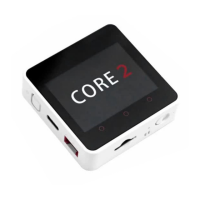
The M5Stack CORE2 is an ESP32-based board, featuring an ESP32-D0WDQ6-V3 chip and a 2-inch TFT screen. Constructed from PC+ABC materials, the CORE2 is designed to provide a comprehensive platform for programming, operation, and development.
At its core, the M5Stack CORE2 utilizes the ESP32-D0WDQ6-V3, a dual-core system equipped with two Harvard Architecture Xtensa LX6 CPUs. This architecture allows for efficient processing, with all embedded memory, external memory, and peripherals accessible via the data and/or instruction buses of these CPUs. The address mapping for both CPUs is largely symmetric, enabling them to access the same memory locations. Furthermore, multiple peripherals within the system can access embedded memory through Direct Memory Access (DMA), enhancing data transfer efficiency.
The device incorporates a 2-inch TFT screen, driven by an ILI9342C chip, offering a resolution of 320 x 240 pixels. This screen serves as the primary visual interface for the device, displaying information and user interfaces.
For power management, the CORE2 integrates an X-Powers AXP192 chip, which handles power regulation and charging. The device is also equipped with a Green LED, which likely serves as an indicator for various operational states. Physical interaction is facilitated by a button, providing user input capabilities.
Connectivity options include a GROVE interface and a Type-C-to-USB interface. The GROVE interface is a 4-pin connector with a 2.0mm pitch, internally wired to GND, 5V, GPIO32, and GPIO33, allowing for easy expansion with other GROVE modules. The Type-C USB interface supports the USB2.0 standard communication protocol, enabling data transfer and potentially power delivery.
The ESP32-D0WDQ6-V3 chip supports multiple external QSPI flash and static random access memory (SRAM). It features hardware-based AES encryption to protect user programs and data, ensuring secure operation. The ESP32 can access external QSPI Flash and SRAM through caching. Up to 16 MB of external Flash code space can be mapped into the CPU, supporting 8-bit, 16-bit, and 32-bit access, and allowing for code execution. Additionally, up to 8 MB of external Flash and SRAM can be mapped to the CPU data space, supporting 8-bit, 16-bit, and 32-bit access. While Flash supports only read operations, SRAM allows for both read and write operations.
The device also incorporates an external crystal oscillator, which can range from 2 MHz to 60 MHz, with 40 MHz specifically for Wi-Fi/BT functionality, ensuring stable timing for various operations.
The M5Stack CORE2 is designed for ease of use in programming and development. It comes equipped with all necessary components for operation and development, making it a ready-to-use platform for various projects.
Powering on the device involves pressing and holding the side power button for two seconds. To turn it off, the button must be held for more than six seconds. The device can display an avatar obtained through the camera on the TFT screen when switched to photo mode via the Home screen. For continuous operation, the USB cable must be connected, while the integrated lithium battery provides short-term storage to prevent power failure.
The device supports various power saving modes, including Active Mode, Modem-sleep mode, Light-sleep mode, Deep-sleep mode, and Hibernation Mode. These modes allow for optimized power consumption depending on the application's requirements. In Active Mode, the RF chip is operational, enabling the chip to receive and transmit signals. Modem-sleep mode allows the CPU to run and the clock to be configured, while Wi-Fi/Bluetooth baseband and RF are active. Light-sleep mode suspends the CPU, but the RTC, memory, and ULP coprocessor remain operational, with any wake-up event (MAC, host, RTC timer, or external interrupt) bringing the chip back to full operation. Deep-sleep mode keeps only the RTC memory and peripherals in a working state, preserving Wi-Fi and Bluetooth connectivity data stored in the RTC, and allowing the ULP coprocessor to function. Hibernation Mode disables the 8 MHz oscillator and the built-in ULP coprocessor, cutting off the power supply to RTC memory, with only one RTC clock timer and some RTC GPIO remaining active to wake the device.
For programming, the M5Stack CORE2 can be used with the UIFlow platform. This involves burning firmware to the device using the M5Burner tool. Users can download the appropriate M5Burner for their operating system, connect the device via a Type-C cable, select the COM port, and configure Wi-Fi information before burning the firmware. The burning process includes an option to erase flash memory, which is useful for initial setup or when the firmware runs abnormally. However, for subsequent updates, erasing should be avoided to preserve saved Wi-Fi information and API Key.
Wi-Fi configuration can be done through the Burn configuration in M5Burner or via AP hotspot configuration. In AP hotspot configuration, the device enters network configuration mode, where users can connect to its hotspot with a mobile phone and access a browser to input personal Wi-Fi information.
Once configured, the device enters network programming mode, where the screen displays the network connection status. A green indicator signifies readiness to receive program pushes from the UIFlow web programming platform. The API KEY is crucial for pairing the device with the UIFlow web platform, allowing specific programs to be pushed to the device.
The UIFlow Desktop IDE offers an offline programming experience, eliminating the need for a network connection and providing responsive program pushes. This IDE automatically detects and installs necessary USB drivers (CP210x) and allows for USB programming mode, which can be selected from the device's settings.
The M5Stack CORE2 is designed with considerations for long-term use and stability. The robust construction from PC+ABC materials contributes to its durability.
The power management chip, AXP192, ensures efficient power delivery and charging, which is vital for the longevity of the integrated battery. The device's ability to operate within a wide temperature range (-25~55°C) makes it suitable for various environments.
The inclusion of hardware-based AES encryption for user programs and data provides a layer of security, protecting intellectual property and sensitive information stored on the device.
The various power-saving modes not only extend battery life but also reduce overall wear and tear on components by allowing the device to operate at lower power states when not actively performing tasks. This intelligent power management contributes to the device's reliability and lifespan.
The UIFlow ecosystem, with its burning tools and IDE, facilitates firmware updates and debugging, allowing users to maintain and upgrade their devices with the latest software and features. The option to erase flash memory provides a clean slate for troubleshooting or re-purposing the device.
The clear instructions for configuring Wi-Fi and pairing with the UIFlow platform simplify the setup process, reducing potential user errors that could lead to operational issues. The support for both online and offline programming environments offers flexibility in development and maintenance workflows.
The device's compliance with FCC rules, including radiation exposure limits and interference guidelines, indicates adherence to regulatory standards, which is important for user safety and electromagnetic compatibility in various settings. The recommendations for correcting interference, such as reorienting antennas or increasing separation, provide practical guidance for maintaining optimal performance in diverse environments.
 General
| Microcontroller | ESP32-D0WDQ6-V3 |
|---|---|
| CPU Frequency | 240 MHz |
| CPU Cores | 2 |
| Flash | 16MB |
| SRAM | 8MB |
| Battery | 390mAh |
| USB | Type-C |
| Speaker | 1W |
| Microphone | Yes |
| IMU | MPU6886 |
| RTC | BM8563 |
| TF Card Slot | Yes |
| Input Voltage | 5V |
| Operating Voltage | 3.3V |
| Dimensions | 54 x 54 x 16 mm |
| Weight | 52g |
| Display | 2.0 inch, 320x240, IPS |
| Touch Panel | Capacitive |
| Connectivity | Wi-Fi, Bluetooth |
| DAC | 2 channels |
| Programming Platform | Arduino, UIFlow |
| Interface | GROVE |

 To Next Page