11
The controls featured in this manual are representative of many available models. Your
model may offer slightly different features.
The desired cool/Heat setting is selected by rotating the knob to the right to the
appropriate location.
HIGH COOL has maximum cooling effect and airflow.
MED COOL has the intermediate cooling effect and airflow.
LOW COOL has minimum cooling effect and airflow.
HIGH HEAT has maximum heating effect and airflow.
LOW HEAT has minimum heating effect and airflow.
OFF will completely shut off the unit.
HIGH FAN permits high fan speed operation without cooling effect.
MED FAN permits med fan speed operation without cooling effect.
LOW FAN permits low fan speed operation without cooling effect.
FAN permits high fan speed operation without cooling effect
.
“ ”
“ ”
“ ”
“ ”
“ ”
“ ”
“ ”
“ ”
“ ”
“ ”
Note: When selecting a fan speed, the compressor will not run.
Note
When turning the SELECTOR knob from "LOW COOL(HEAT)" to "HIGH
COOL(HEAT)", keep your speed slow as far as possible. Do not change the
operation mode between "LOW COOL(HEAT)" and "HIGH COOL(HEAT) too often."
AUTO SWING
OFF
ON
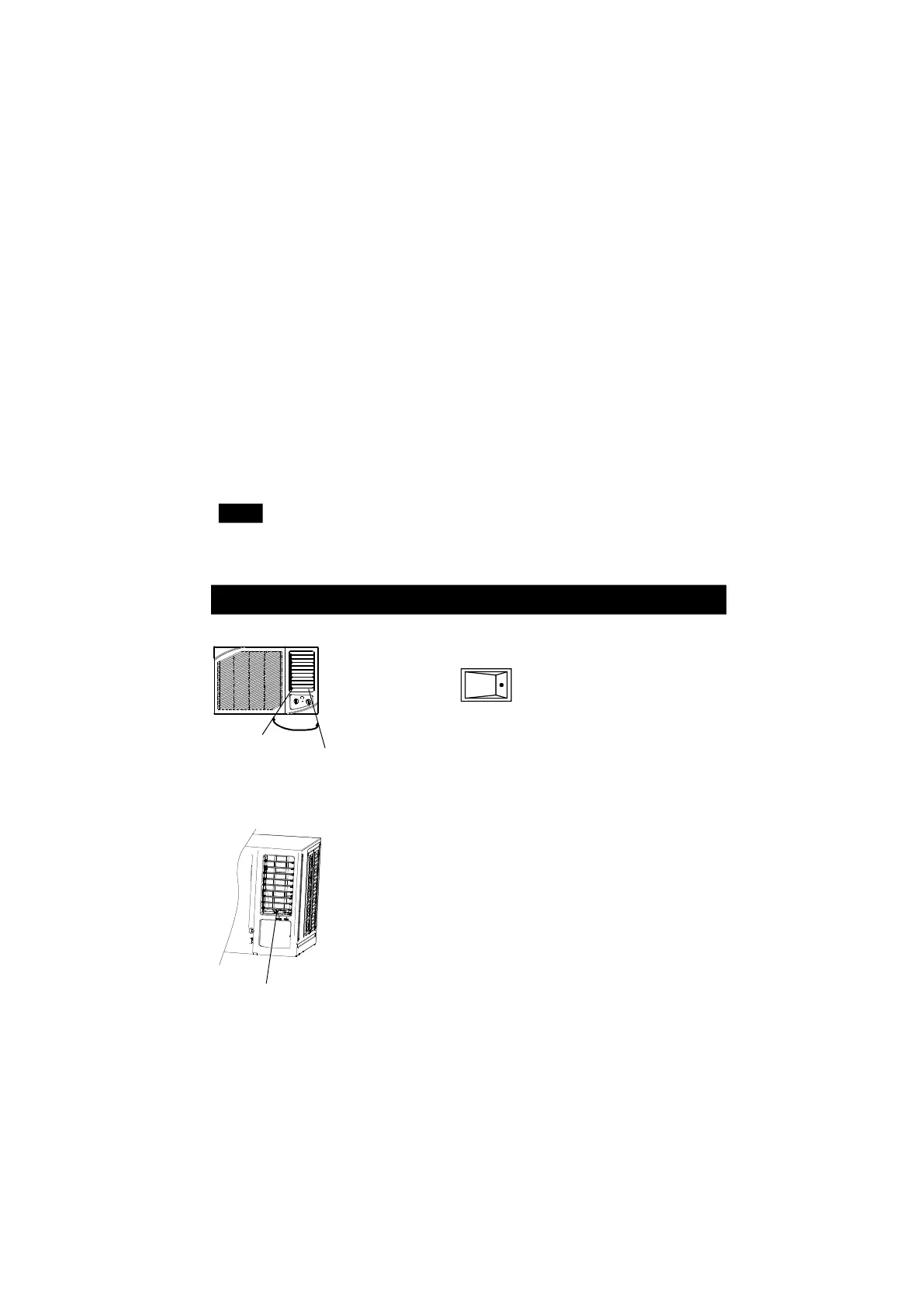
ADJUST AIR FLOW DIRECTION
Horizontal airflow adjustment
When the AUTO SWING switch is turned to ON position, the
vertical louvers automatically oscillate right and left sweeping the
cold air alternately to obtain comfortable cooling. The vertical
louvers may be stopped at any position when the AUTO SWING
switch is turned OFF .
“ ”
“ ”
For the units with AUTO SWING feature(automatically)(on some models):
For the units without AUTO SWING feature(manually):
To adjust horizontal airflow direction, move the lever gently to
the left or right by hand until the desired horizontal airflow
direction is obtained.
Hand-operating lever
NOTE: Only For the units with hand-operating lever.



 To Next Page