23
In more detail...
MIS2400 by MacAllister
Operation
ON
7
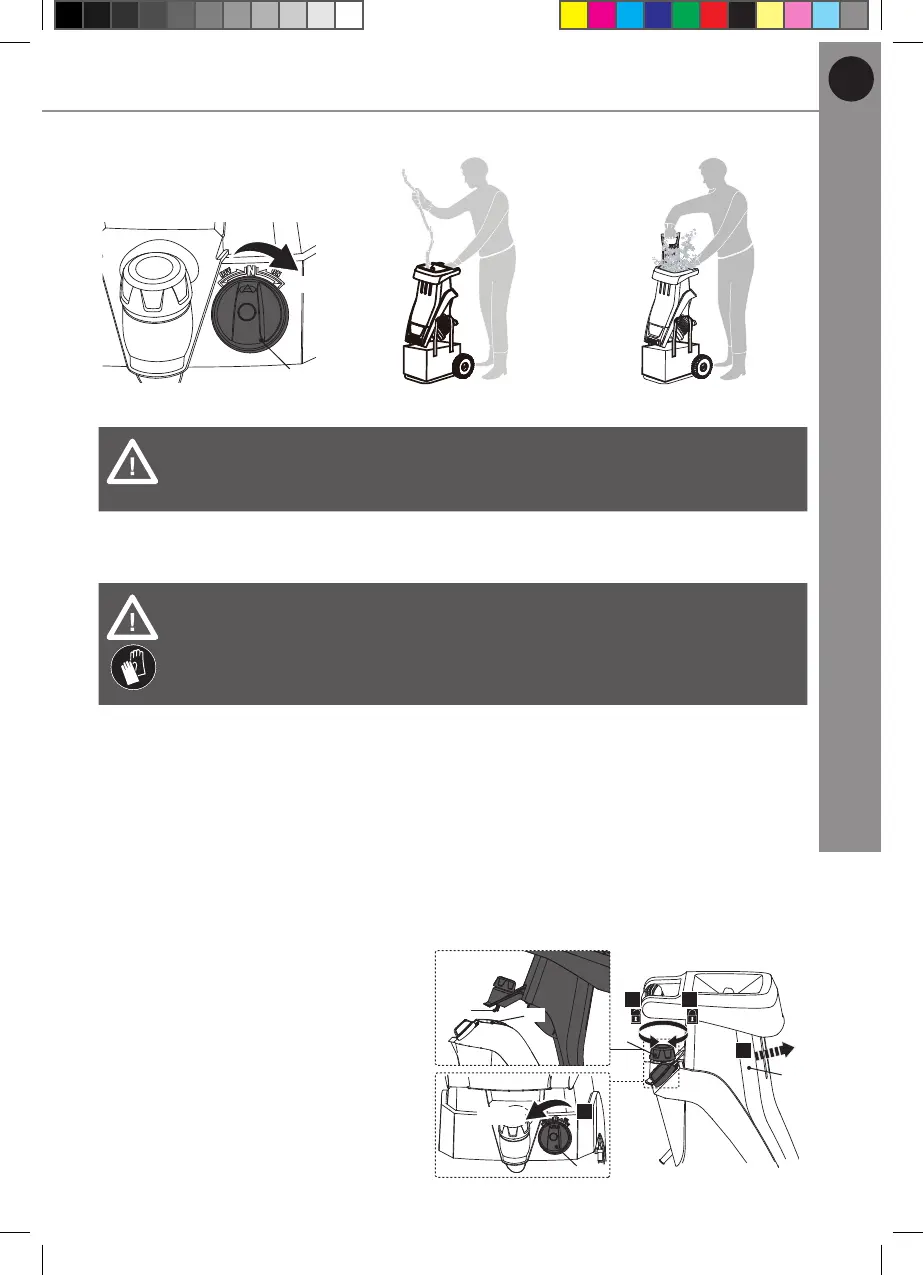
Fig. 8 Fig. 9 Fig. 10
WARNING! Switch the product off and disconnect it from the power
supply if it stops suddenly during operation. Refer to the instructions
below about removing blockages and the “Troubleshooting” section.
Removing blockages
WARNING! Always switch the product off, disconnect it from the power
supply and let it cool down before removing blockages!
Wear protective gloves when removing blockages! Use proper tools
to remove debris, e. g. provided plunger! Never use your bare hands!
1. Turn the on/off switch (7) anti-clockwise to switch the product off (Fig. 11, step
1). Wait until the shredding means stop rotating completely.
2. Remove the collection bag (5) from the hooks (3c) of the main unit (3). Empty
the collection bag (5), if needed.
3. Loosen the locking knob (6) anti-clockwise (Fig. 11, step 2) and open the
cover (8).
4. Lift the cover (8) from the main unit (3) to remove it (Fig. 11, step 3).
5. Carefully remove the jammed
material from the discharge
chute (20).
6. Ret the cover (8) and tighten
the locking knob (6) clockwise
(Fig. 11, step 4). Ensure the
interlocking device (8a) properly
seats in the safety key slot (17).
7. Turn the on/off switch (7)
clockwise to switch the product
on.
8. Let the product run for a minute
to ensure the shredding means
are rotating freely before using
the product again.
7
17
8a
OFF
1.
6
2. 4.
3.
8
Fig. 11
MNL_MIS2400_2400W Impact Shredder_GB_V2_220321.indd 23MNL_MIS2400_2400W Impact Shredder_GB_V2_220321.indd 23 2022/3/21 5:46 PM2022/3/21 5:46 PM


 To Next Page