26 27
MPWP2100-2 By MacAllister MPWP2100-2 By MacAllister
In more detail . . .
Getting Started . . .
Before you start
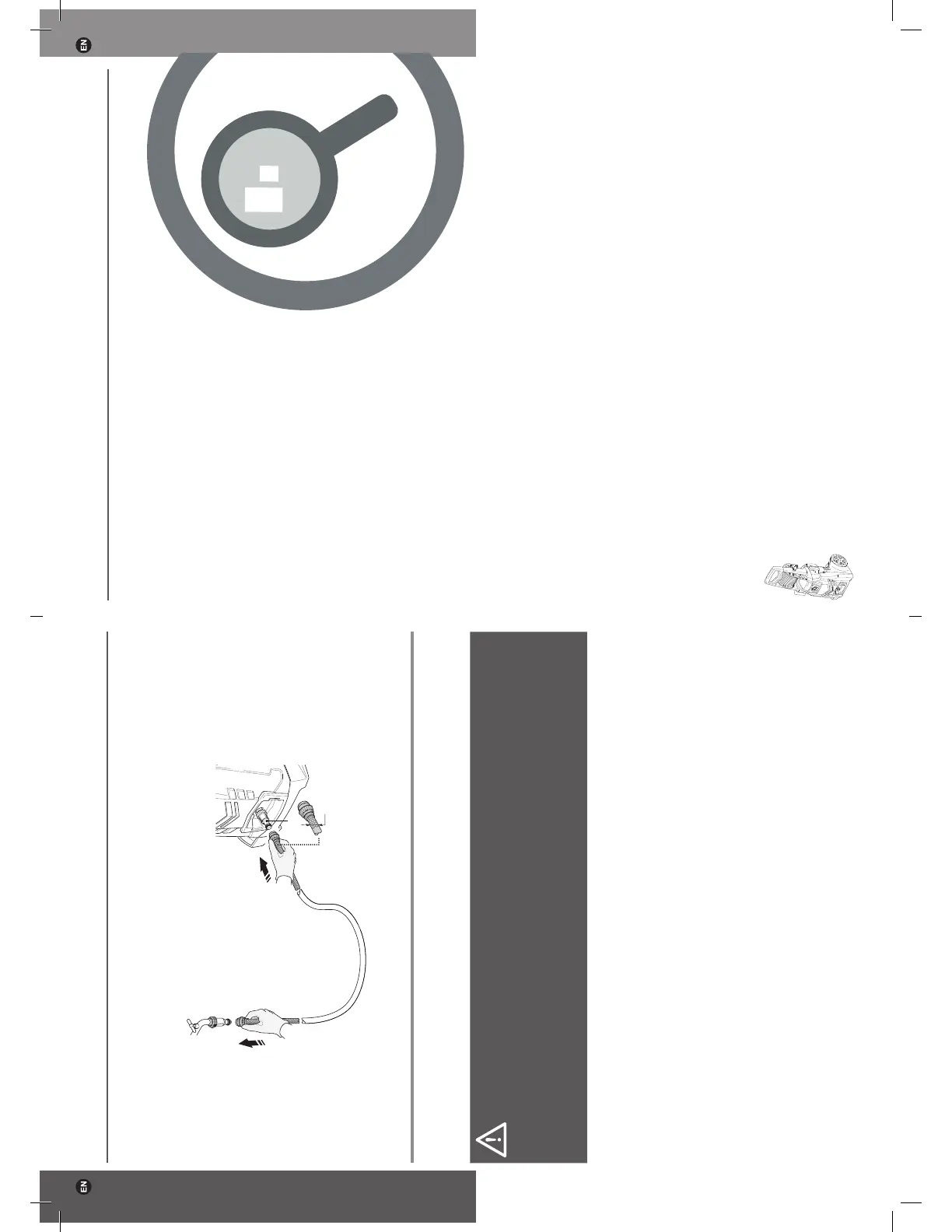
Attach a suitable water hose to the water supply and then attach the other end to the
water hose inlet connector (7) of the product (Fig. 21).
7
Fig. 21
Ø 13 mm
Connection to the power supply
1. Make sure the on/off switch (3) is in its off position.
2. Connect the plug
(1) with a suitable socket.
WARNING! Check the voltage! The voltage must comply with the information
on the rating label!
If using an extension cord it must be suitable for outdoor use with sockets
protected against water splashing. Ensure the extension cord is of the proper
size and type for your product (1.5mm²)! Always use a residual current device
(RCD) protected supply.
Your product is now ready to be used.
In more
detail...
Product functions 28
Operation 31
Care and maintenance 35
Trouble shooting 40
Recycling and disposal 42
Guarantee 42
EC declaration of conformity 43
GP65-3663602939702-EN-V06.indd 26-27 11/2/16 6:05 PM



 To Next Page