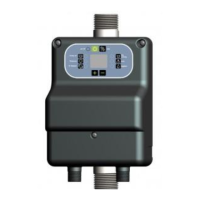
manual utilizare presostat electronic
pressystem
45
1. Pentru a reporni
sistemul si a iesi din eroare
trebuie apasat butonul ON/OFF
pana se afiseaza “OF”.
2. Apasati din nou
butonul ON/OFF pentru a
reporni dispozitivul.
SOLUTII:
Verificati amperajul absorbit
real al pompei si setati
pragul la parametrul
“CURRENT”.
Asigurati-va ca nu exista
conditii de frecare sau
blocare in corpul pompei.
Verificati ca pompa este
folosita conform conditiilor
descrise in cartea tehnica a
pompei.
1. To restart the system and
exit from the error you must
press the ON/OFF button to
display "OF".
2. Press again ON/OFF button
to restart the system.
SOLUTIONS:
Check the current measure of
pump and set the threshold
value on the parameter
CURRENT.
Make sure that there are no
conditions of friction or
locking of the pump.
Check that the pump is used
under the conditions
prescribed.
- Curent de
varf maxim
- Max pick
current
Curentul absorbit al pompei
masurat de PresSystem este
mai mare decat permite
dispozitivul (LED CURRENT).
Ce trebuie facut:
1. Pentru a reporni
sistemul si a iesi din eroare
trebuie apasat butonul ON/OFF
pana se afiseaza “OF”.
2. Apasati din nou
butonul ON/OFF pentru a
reporni dispozitivul.
SOLUTII:
Asigurati-va ca nu exista
conditii de frecare sau
blocare in corpul pompei.
Verificati ca pompa este
folosita conform conditiilor
descrise in cartea tehnica a
pompei.
PresSystem has measured the
maximum current allowed (LED
CURRENT).
ACTIONS:
1. To restart the system and
exit from the error you must
press the ON/OFF button to
display "OF".
2. Press again ON/OFF button
to restart the system.
SOLUTIONS:
Make sure that there are no
conditions of friction or
locking of the pump.
Check that the pump is used
under the conditions
prescribed.


 To Next Page
 Loading...