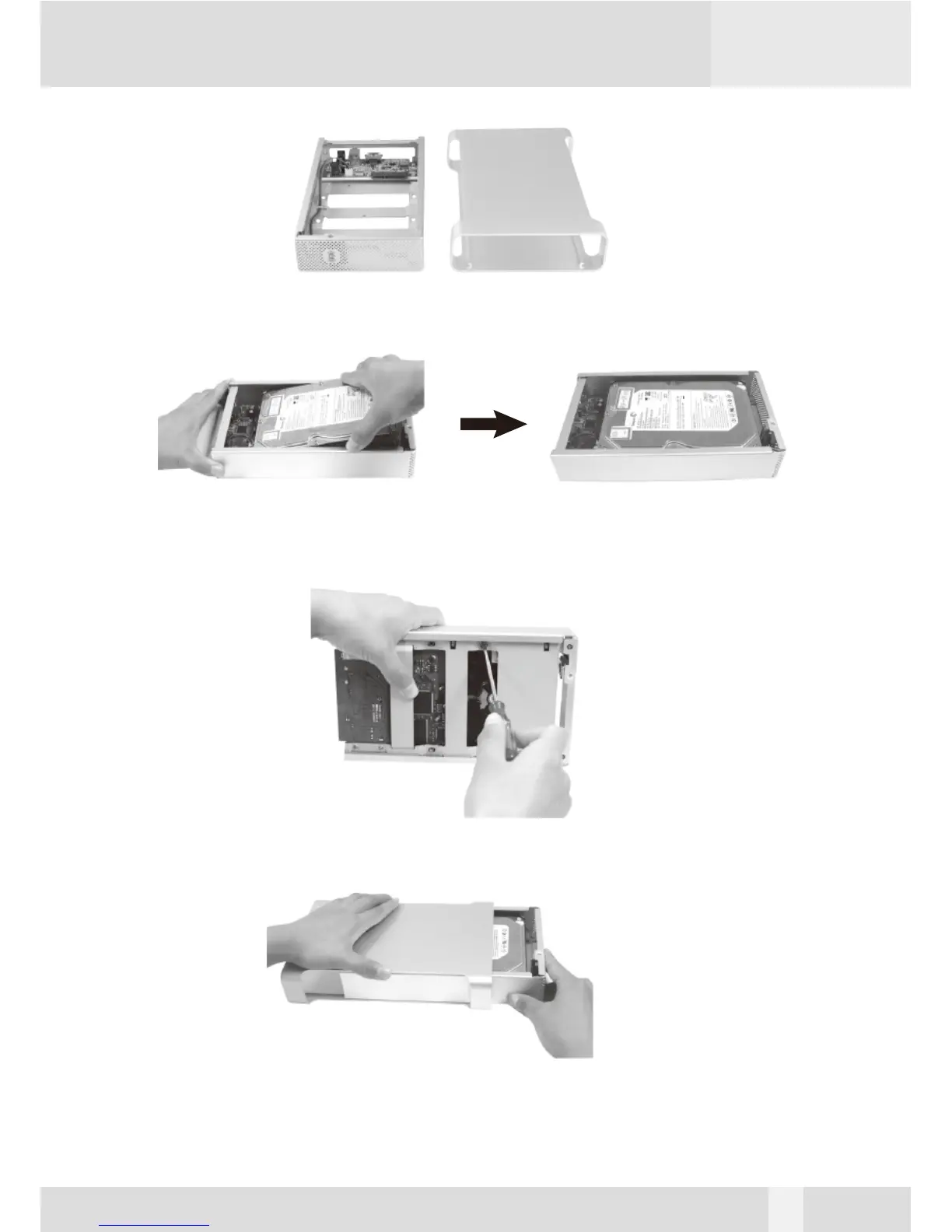
3. Pull the enclosure sleeve out from the Base Tray and place it aside.
4. Align the black Power/SATA connector on the hard drive to the black female SATA connector on
the Base plate bridge, and push the drive into the connector completely.
5. Secure the HDD to the Base Tray with 2 hard drive screws.
6. Push the Base Tray into the Enclosure Sleeve.
8


 To Next Page