P.14
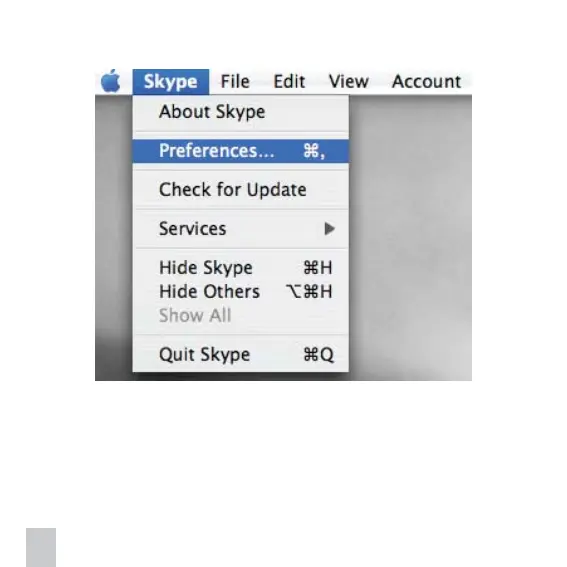
2. Under Skype menu, select Preferences.
3. Click on Audio icon, and choose USB 2.0 Camera as Audio Input; Then click on
Video icon, choose USB 2.0 Camera as camera source, and check the option “Start
my video automatically” and “Enable Skype video“. Close the Preferences window.


 To Next Page