P.17
puter, and clip it securely on the top of flat panel monitor or the location you prefer.
When this manual is written in March 2008, IceCam2 is tested and fully supports
Windows Live Messenger, Skype and Yahoo! Messenger under Windows XP (Service
Pack2) and Windows Vista. We recommend you to download the latest video confer-
ence software available to your OS. As the software develops, the User Interface
might change as well. Below installation guides are for reference only.
Windows Live Messenger
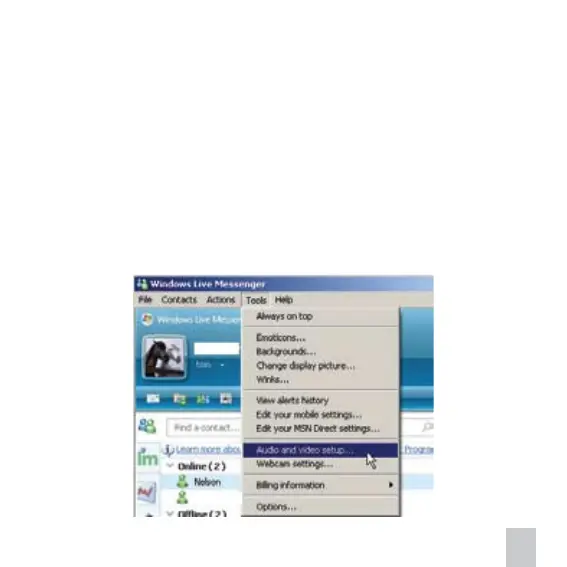
1. Connect your computer to Internet. Sign into Windows Live Messenger. Show the
menu bar. Under Tools, select Audio and video setup… Follow the on-screen instruc-
tions or steps below. Select USB 2.0 Camera in microphone setup and select USB
Video Device in webcam setup.


 To Next Page