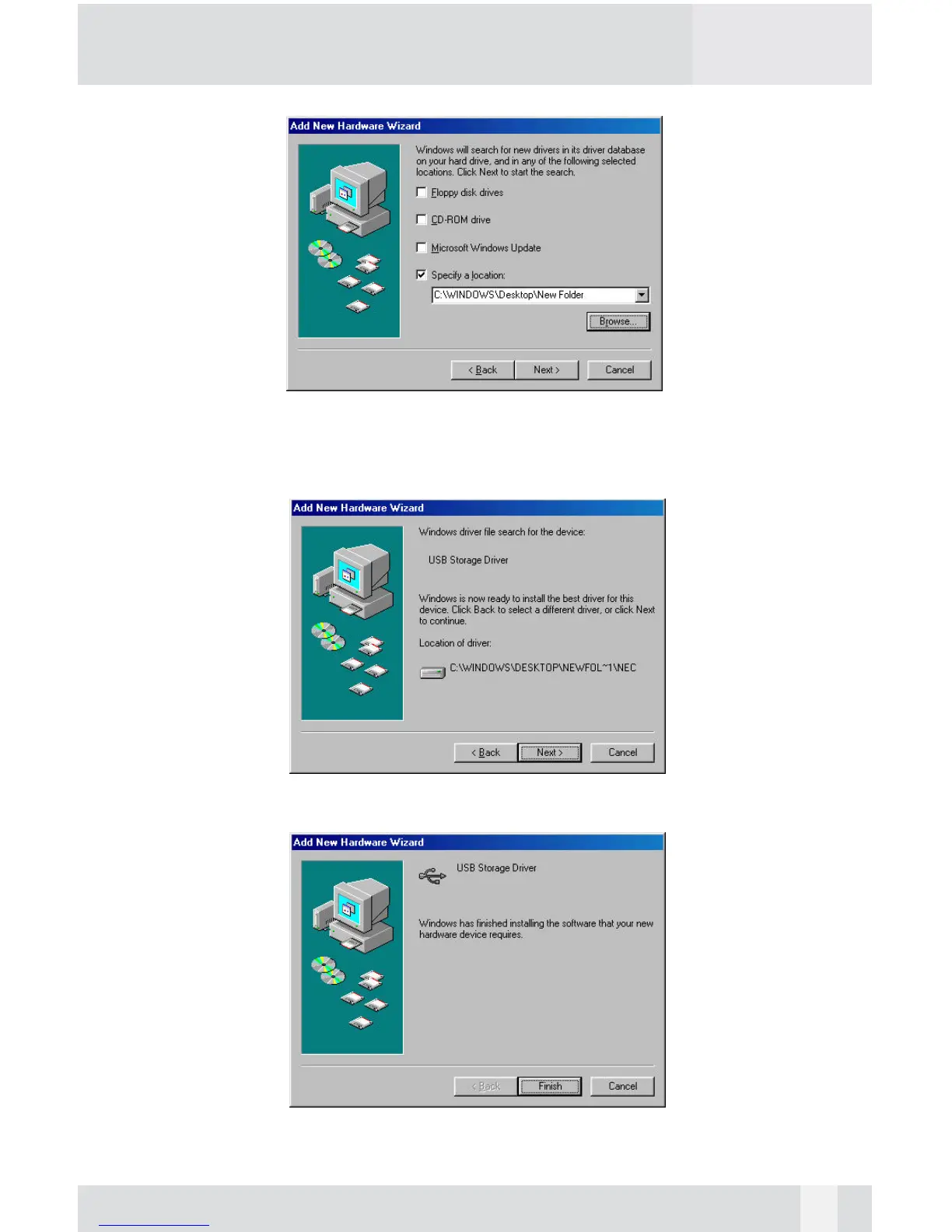
Select on the “Specify a location” option and type in “x:\PHR-100ACE\DRI-
VERS” where “x” is the letter of the CD-ROM drive with the Drivers CD
inserted, or click on “Browse” to choose the corresponding driver folder in
the CD. Then click “Next”.
Windows will search the location and find the appropriate driver from the
Drivers CD. Click “Next”.
The window shown above indicates that the driver installation has been
completed. Click “Finish” to end the installation.
16


 To Next Page