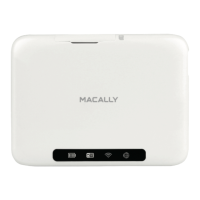
Need help?
Do you have a question about the Macally PHR-100ACE and is the answer not in the manual?
Warns about data loss with wrong keys and procedures for lost keys or defective enclosures.
Lists conditions requiring immediate power disconnection and support contact.
Steps for attaching shock-absorbing mounts to the hard drive.
Details on setting the HDD jumper ID and connecting cables.
Steps for plugging in the secure key, AC adapter, and connecting to the computer.
Explains the secure key port and how the key enables operation.
Details the NIST/CSE certified encryption engine and its security benefits.
How data access relies on the key and procedures for lost keys or defective enclosures.
Guide to checking device manager and launching FDISK for partitioning.
Instructions for creating a primary DOS partition using FDISK.
Instructions to restart the system and perform a full format after partition creation.
Steps to write disk signatures and create partitions using wizards.
Instructions to follow the wizard to format the newly created drive partition.
 General
| Model | PHR-100ACE |
|---|---|
| Category | Storage |
| Interface | USB 3.0 |
| Material | Aluminum |
| Type | External Enclosure |
| Compatibility | 2.5-inch SATA HDD/SSD |

 To Next Page