EasyManua.ls Logo

Macally PHR-100ACE - Hardware Installation: Mounting and Assembly; Mounting the Hard Drive in the Base Plate; Securing the Hard Drive to the Base Plate; Inserting the Base Plate Assembly into the Sleeve

Macally PHR-100ACE
23 pages
Print Icon
To Next Page IconTo Next Page
To Previous Page IconTo Previous Page
Loading...
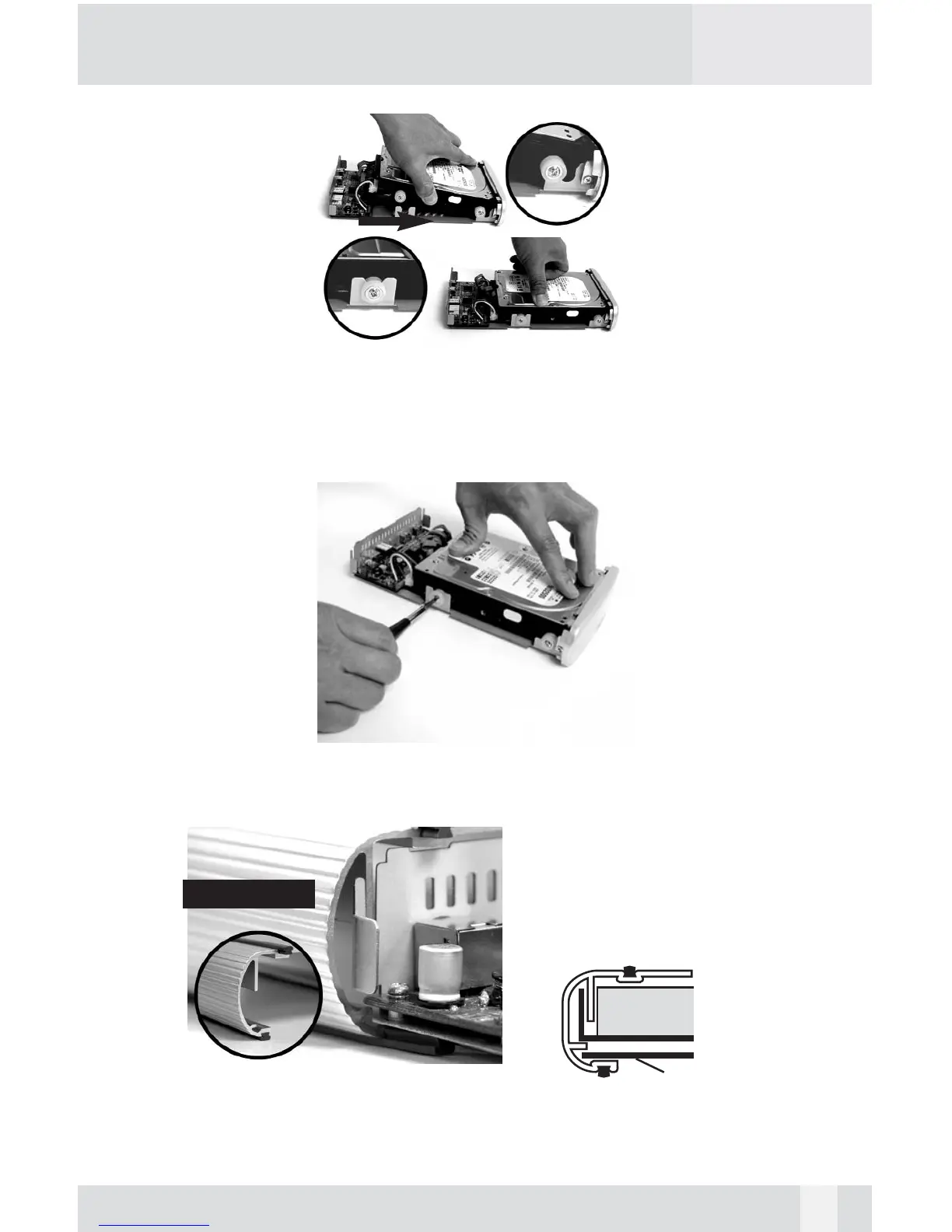
6. (1)Slide the hard drive into the front Base Plate first and (2) press down
on the hard drive, make sure all 4 Anti-Shock Mounts sit inside the
Support Slot.
7. Pressing down the hard drive and tighten all 4 screws to secure the hard
drive to the Base Plate.
8. Align the Base Plate to the Sleeve Slot. Slide and push the hard
drive/Base Plate into the Enclosure Sleeve

hard drive
Base Plate
11
Front Sleeve

Related product manuals