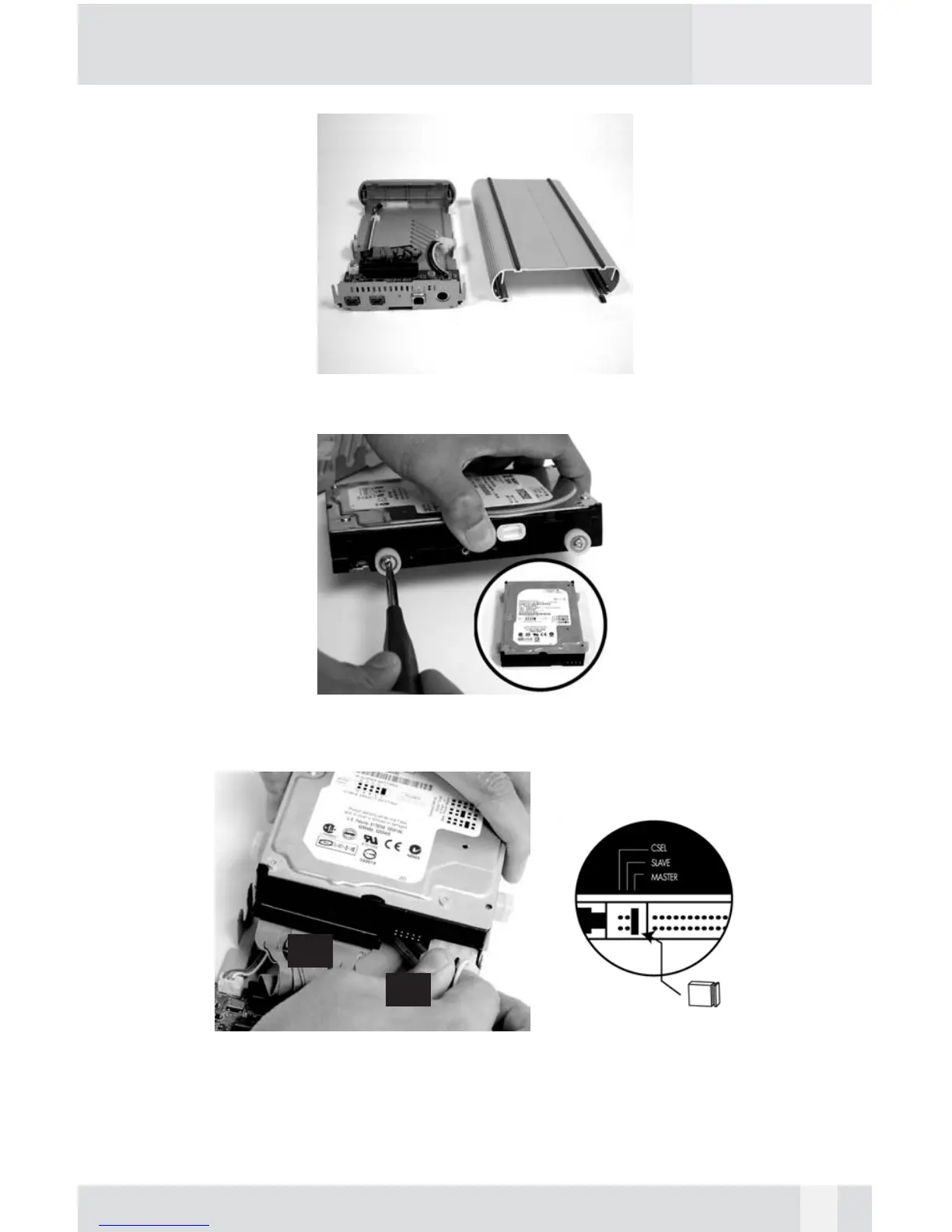
3. Set the Enclosure Sleeve aside.
4. Install 4 white Anti-Shock Mounts w/10mm screw into both sides of the
hard drive. Do not tighten the screws yet.
5. Set up the jumper ID as “Master” mode according to the HDD jumper
setting spec or “Single Master” mode for Western Digital model hard
drive. Connect (A) the 40-pin connector and (B) the power connector from
the Base Plate securely to the hard drive.
10
(A)
(B)


 To Next Page