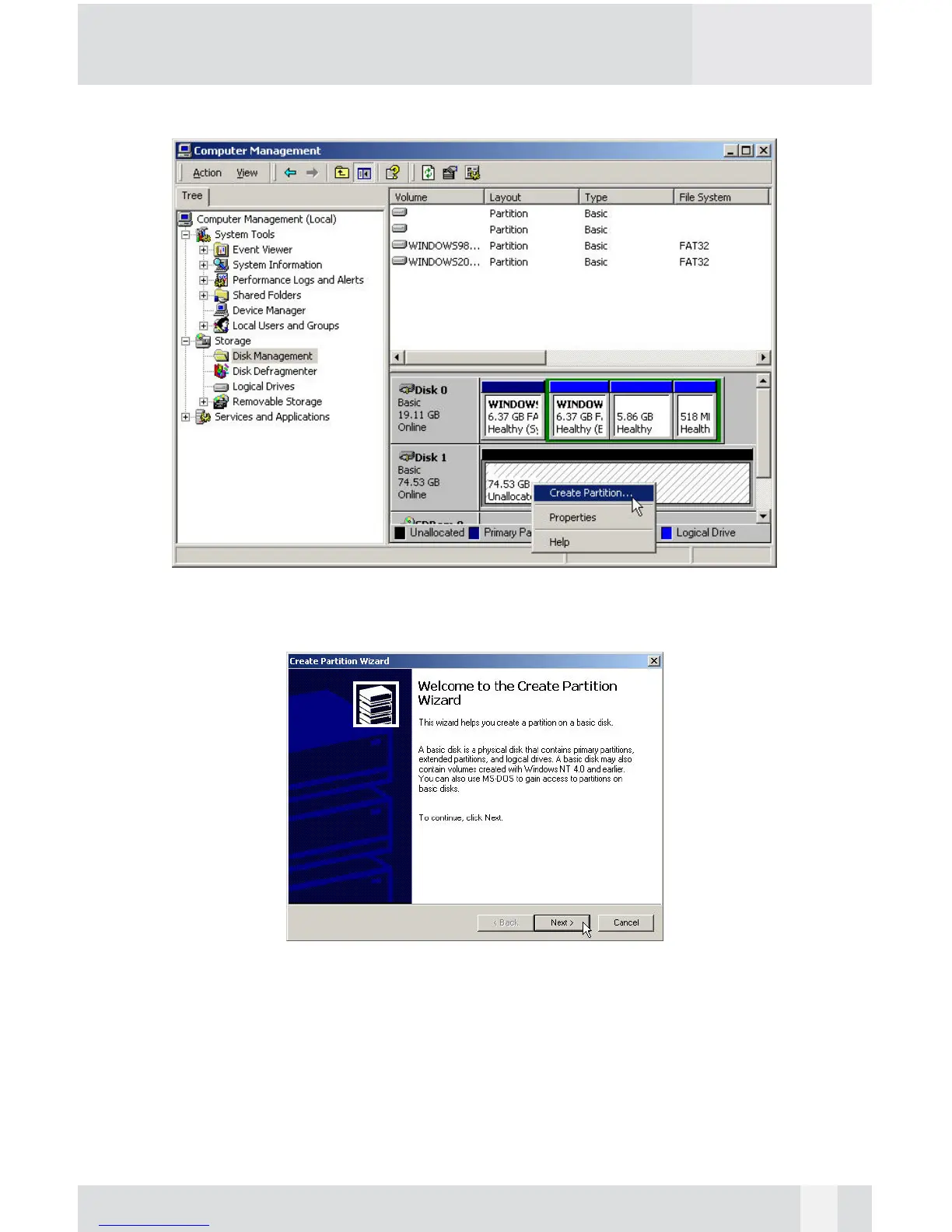
6. Select the new “Unallocated” disk, and then right click to choose
“Create partition”.
Step 7
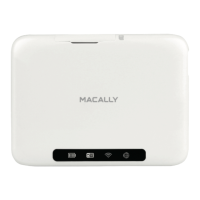
7. Follow the onscreen instruction to partition and fully format the drive.*
*note: If it assigns a new hard drive letter but format dose not run automatically,
please exit “Computer Management”, and find the new drive letter in My computer to
format it completely.
23


 To Previous Page