For Windows2000/XP
If you can see a new entry under Disk drives of Device Manager, you are
ready to partition and format the drive.
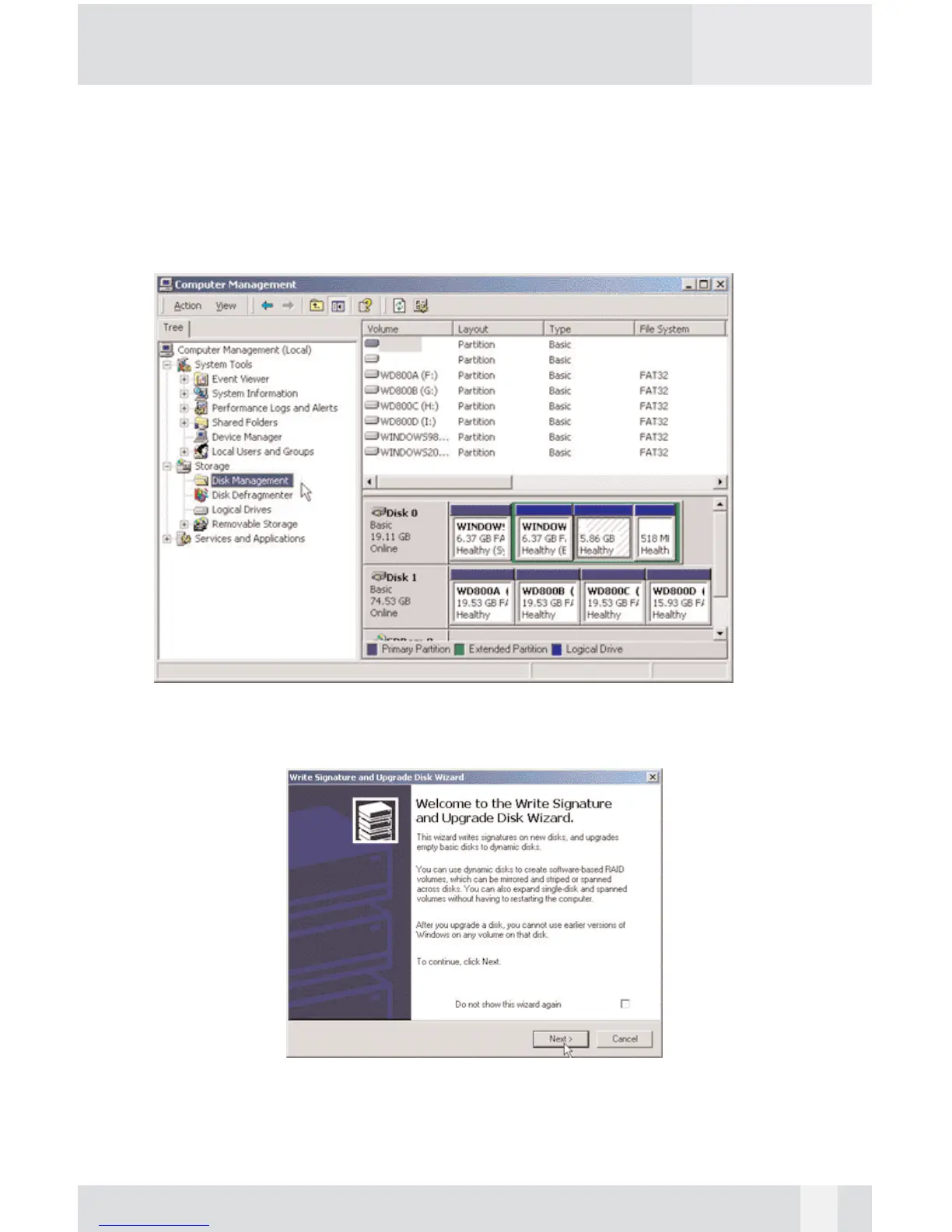
1. Open Control panel, “Administrative Tools” and “Computer management”.
Step 2
2. Click on “Disk Management”.
Step 3
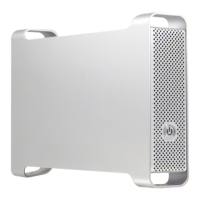
3. “Write Signature and Upgrade Disk Wizard” windows will show up and
click “Next”.
20


 To Next Page