2
3
Table of Contents
Introduction
Package Contents
System Requirements
Macally Product Information
Australia Warranty
Hardware Basics
Pairing the keyboard with Mac
Pairing the keyboard with iPhone/iPad
3
3
3
3
5
6
8
14
Package Contents
System Requirements
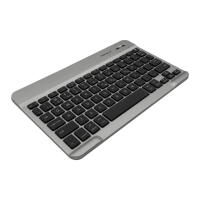
Thank you for purchasing the Macally Wireless Bluetooth Keyboard for Mac, iPhone, and iPad.
This product utilizes thin keycaps with sensitive and responsive touch which provide a more
comfortable and faster typing experience. It is designed with many features and flexibility to help
improve your productivity.
Before you begin using this product, be sure to read this user’s guide in its entirety.
• Wireless Bluetooth Keyboard
• 2 x AAA Battery
• User’s Guide
• Mac OS X v10.3 to v10.7 or above
• Any Mac computer with a Bluetooth host
• iPhone 3GS, iPhone 4, iPhone 4S, iPad, iPad2, and later
Introduction
Macally Product Information
Registration
To obtain latest drivers, updates, and new Macally product release information, please register
this product at www.macally.com/register.html.
Technical Support
Please go to URL http://www.macally.com/EN/Techsupport/ or E-mail us at techsupport@macally.
com, or call us at 1-909-230-6778 Monday to Friday, 8:30AM to 5:30PM, Pacific Standard Time
In Europe, please email us at techsupport@macally-europe.com


 To Next Page